How to block gambling sites on a PC
Block the Gambling website category on the PC and lock the setting behind a password someone else holds. No filter catches every gambling site, so pair the block with support beyond the computer.
NetSecWall for Windows
On this page
To block gambling sites on a PC, use a filter that refuses connections to domains on a gambling list, and put the setting behind a password that the person being protected doesn't know. In NetSecWall, that's the Gambling website category: tick Block for it, or use Recommended for children in the parental controls, then set a settings password. No list catches every gambling site, so a block works best as one part of a wider plan.
Who this is for
People arrive at this question from two directions.
Parents want a child's PC to stay away from betting and casino sites, including the ones that advertise heavily around sport and games.
Adults who want to stop themselves are looking for a barrier between an urge and a bet. If that's you, setting this up is a real and sensible step. A block won't make the urge go away, but it adds friction and time, and time is often what lets the urge pass. It helps most alongside the other support described at the end of this article.
The options, briefly
- Account self-exclusion with the gambling operators you use. Licensed operators usually let you close or exclude your account for a set period.
- National self-exclusion schemes. Some countries run a single scheme that covers many licensed operators at once.
- Bank gambling blocks. Some banks let you block card payments to gambling merchants from their app.
- Network filters. A family DNS service or your router's filters can block gambling domains for every device at home.
- A filter on the PC. It follows the PC to any network and can be locked with a password. That's what NetSecWall provides.
- Controls on your phone. Much gambling happens on phones, so the phone needs its own settings too.
These layers work together, and the more of them you use, the fewer gaps are left.
Block gambling sites with NetSecWall
Website blocking is part of NetSecWall's Family and Pro plans, and of the 7-day trial.
On a child's PC
- Open Protection ▸ Settings password… and set a password first.
- Open Protection ▸ Parental controls… and tick Protect this device with parental controls.
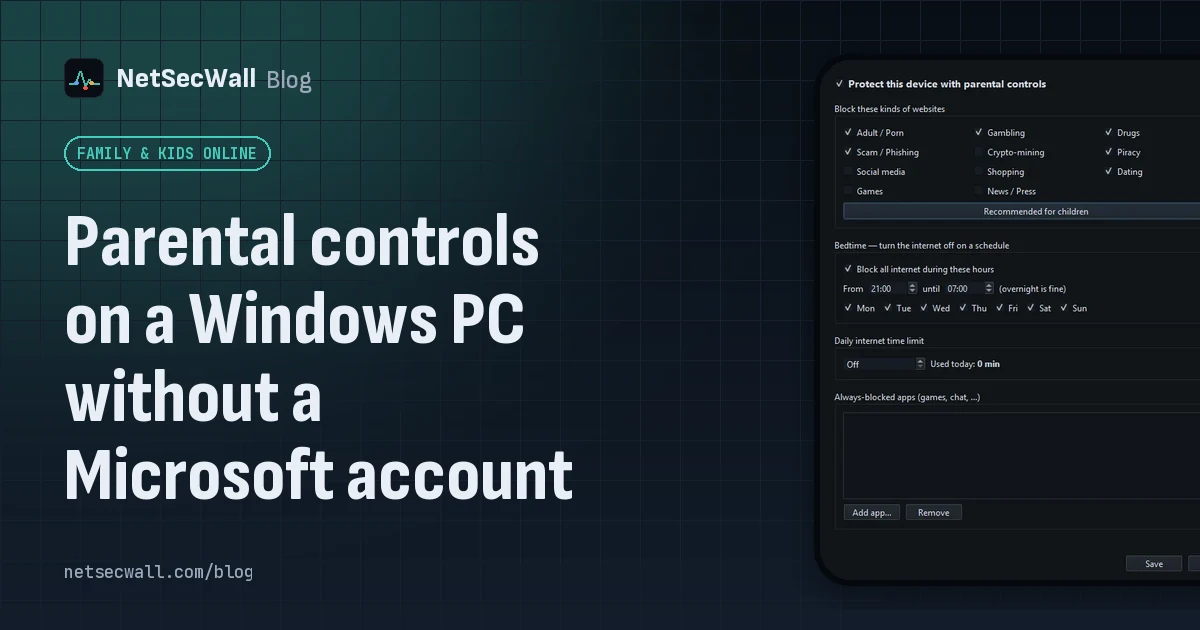
- Under Block these kinds of websites, click Recommended for children. It includes Gambling, along with Adult / Porn, Drugs, Scam / Phishing, Piracy and Dating. Or tick Gambling on its own.
- Click Save.
The rest of the family setup, including a standard Windows account for your child, is in setting up parental controls on a child's PC. Blocking adult sites works the same way; see how to block adult websites.
On your own PC
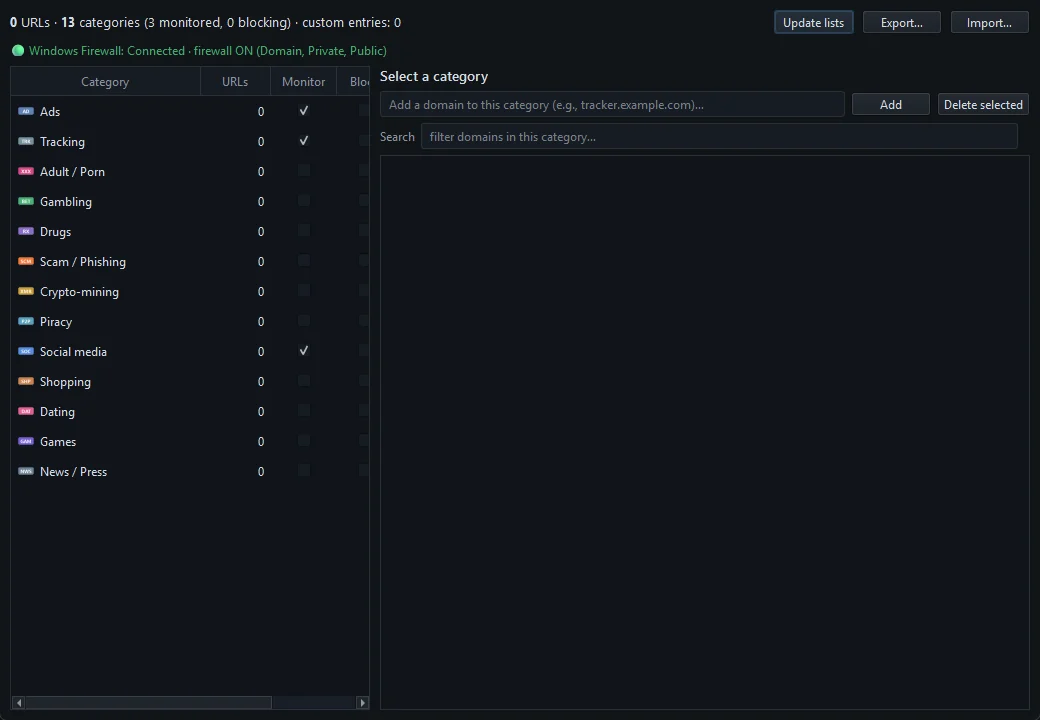
- Open Protection ▸ Content categories….
- Find Gambling in the list and tick its Block box. The window shows how many domains the list holds.
- If the lists haven't been downloaded yet, click Update lists.
- Close the window. Blocking is now on for every browser and app on the PC.
- Open Protection ▸ Settings password… and ask someone you trust to type a password you don't know, then keep it for you.
With the password set, turning the block off, editing categories, quitting NetSecWall or opening its settings all need the password. There's no password recovery, so the person you trust should store it safely. Locking NetSecWall with a settings password explains what it protects.
If you know of a site that gets through, select Gambling, type the domain in the "Add a domain to this category" box and click Add. Domains you add are kept when the lists update. Blocking a specific domain has the details.
Protection ▸ Profile ▸ Family also blocks gambling in one click, along with adult, drugs, dating, ads and tracking, but it replaces your whole category selection.
How the block works
The Gambling category combines two public lists, one from the Block List Project and one from the Université Toulouse 1 blacklists, served from NetSecWall's own servers and refreshed automatically about once a day. When any program on the PC looks up a listed domain, NetSecWall blocks the addresses it resolves to at the Windows firewall, so every browser and app on the PC is covered. Blocking website categories goes into the mechanics.
Where it falls short
Be clear-eyed about the gaps, especially if you're blocking for yourself:
- Lists miss sites. New gambling sites and mirror addresses appear all the time. A block that catches most sites is still not a wall.
- It's reactive and address-based. The very first moment of a first visit can slip through before the address is blocked, and sites that share hosting can be over- or under-blocked.
- Browser encrypted DNS hides lookups. If a browser uses its own encrypted DNS (Use secure DNS in Chrome and Edge, DNS over HTTPS in Firefox), NetSecWall can't see those names. Switch that off. Encrypted DNS explained has the background.
- VPNs and proxies tunnel past any domain filter.
- Gambling-like features inside games and apps, such as paid random rewards, aren't separate gambling domains, so a list won't catch them.
- The phone isn't covered. NetSecWall for Windows protects this PC only.
- An administrator can remove it. On your own PC, that's you. A password held by someone else is a speed bump, not a lock, which is why the support below matters.
Support beyond the PC
If gambling is causing harm, to you or to someone you care about, you don't have to handle it alone, and a technical block is only one tool.
- Gambling helplines. Many countries have a free, confidential national gambling helpline, some open around the clock. Search for "gambling helpline" and your country's name.
- Self-exclusion schemes run by regulators in some countries cover many licensed operators at once.
- Your bank may offer a gambling block on your cards.
- Peer support groups, such as Gamblers Anonymous, meet in many countries, in person and online.
- Your doctor can help too, and can point you to local treatment services.
Tell someone you trust what you're doing. It makes the block stronger, and it makes the hard days easier.
To set up a gambling block on your PC, download the 7-day trial. Every feature is unlocked, no card needed.
Frequently asked questions
Can I block gambling sites on my phone as well?
Not with NetSecWall for Windows, which protects the PC it's installed on. Use your phone's own settings or controls, and consider a network filter at home, which covers the phone while it's on your Wi-Fi.
Will blocking gambling sites block sports news?
Usually not, but it can occasionally, if a sports site is on a gambling list or shares an address with one. If something important is blocked, the category can be unticked with the password.
Can I make the block impossible to undo?
No. On a PC you administer, you can always undo it eventually. Handing the password to someone you trust makes undoing it slow and deliberate, and the support above does the rest.
Does it block gambling ads?
Only if they come from domains on the gambling lists. Ticking Block for the Ads category in Protection ▸ Content categories… also stops many ad networks.
How often is the gambling list updated?
Automatically, about once a day, while Tools ▸ Feeds ▸ Auto-update feeds daily is on, which is the default.
Keep reading
 How to block adult websites on Windows 10 and 11
Use a family DNS filter on your router, a filter on the PC, or both. NetSecWall blocks its Adult / Porn category, around 900,000 domains, for every browser and app on the PC, behind a password.
How to block adult websites on Windows 10 and 11
Use a family DNS filter on your router, a filter on the PC, or both. NetSecWall blocks its Adult / Porn category, around 900,000 domains, for every browser and app on the PC, behind a password.
 Block games during homework time
Block the game programs themselves, not just gaming websites. NetSecWall can cut a game's internet for good or for an hour, block gaming sites, and hold new apps until you approve them.
Block games during homework time
Block the game programs themselves, not just gaming websites. NetSecWall can cut a game's internet for good or for an hour, block gaming sites, and hold new apps until you approve them.
 Can kids get around parental controls? An honest answer
Yes. A determined child can get around almost any parental control, especially with admin rights, another device or a VPN. You can make it much harder, and talking to them does more than any setting.
Can kids get around parental controls? An honest answer
Yes. A determined child can get around almost any parental control, especially with admin rights, another device or a VPN. You can make it much harder, and talking to them does more than any setting.
 Parental controls on a Windows PC without a Microsoft account
Windows' own family features need Microsoft accounts. Without them, give your child a standard local account and use an on-PC tool that filters sites and sets a bedtime and daily limit.
Parental controls on a Windows PC without a Microsoft account
Windows' own family features need Microsoft accounts. Without them, give your child a standard local account and use an on-PC tool that filters sites and sets a bedtime and daily limit.