Inbound and outbound connections, in plain English
A connection is outbound when your PC starts it, inbound when another machine does. Your router and Windows Firewall stop most unsolicited inbound traffic, so outbound is where apps phone home.
NetSecWall for Windows
On this page
Inbound vs outbound connections comes down to one question: who started the conversation? An outbound connection is one your PC opens, like your browser reaching a website or an app checking for updates. An inbound connection is one another machine opens to your PC, like a colleague opening your shared folder. On most home PCs the router and Windows Firewall already turn away unsolicited inbound traffic, which is exactly why outbound connections are where apps quietly phone home.
Inbound vs outbound connections: who calls whom
Think of a phone call. An outbound connection is a call you place. An inbound connection is a call you receive. Once the call is connected, both sides talk.
That last part trips people up. Direction describes who dialed, not which way the data flows. When you download a 2 GB game, almost all the data comes in, but the connection is still outbound: your PC placed the call and the server answered. Uploading a video to a cloud drive is also an outbound connection, with the data going the other way.
In TCP, the protocol behind most web and app traffic, "who dialed" is precise. The side that sends the first connection request (a SYN packet) is the client. The side that accepts it is the server. UDP has no formal call setup, so direction simply means who sent the first packet.
You can usually tell the direction from the port numbers:
- Outbound: your side uses a random high port that Windows picks for this one connection, and the far side uses a well-known service port.
192.168.1.20 :52814 → 142.250.74.46 :443is your PC talking to a web server on port 443. - Inbound: your side uses the well-known port, because your PC is the server.
192.168.1.20 :3389 → 192.168.1.35 :50122is someone on your network connected to your Remote Desktop.
If ports are new to you, what a port is covers the numbers you'll meet most often.
Why inbound connections rarely reach a home PC
Two things stand between the internet and your PC.
Your router. At home, every device shares one public internet address, and the router translates between it and your private addresses. This is called NAT (network address translation). When your PC connects out, the router remembers the pairing so the replies find their way back. When a stranger on the internet sends something your PC never asked for, the router has no pairing to match it to and drops it. The exceptions are ports you forward on purpose, a device placed in the router's "DMZ", and ports a program opens automatically through UPnP. IPv6 doesn't use NAT, but home routers normally run a firewall that blocks unsolicited inbound IPv6 traffic in the same way.
Windows Firewall. By default, Windows Defender Firewall blocks inbound connections unless a rule allows them, and allows outbound connections unless a rule blocks them. It also has three profiles. The Public profile, used on café and hotel Wi-Fi, is the strictest, because there you share a network with strangers and the router's NAT doesn't separate you from them.
Your own local network is the other exception. Devices on the same Wi-Fi can reach your PC directly. That is how file sharing, network printers and casting to a TV work, and it is why the firewall's profile matters.
Why outbound is where apps phone home
Because outbound traffic is allowed by default and passes through NAT with no setup, everything that wants to send data from your PC does it outbound: update checks, telemetry, crash reports, ad and analytics libraries, cloud sync, license checks.
Malware uses the same door. Rather than wait for an attacker to connect in, which the router would block, it calls out to its own server and asks for instructions. Security people call this a reverse connection, and a program doing it on a steady timer is beaconing. An inbound-only firewall never sees any of it. That gap is the subject of Windows Firewall allows outbound traffic by default, and how to stop apps phoning home covers what to do about it.
What a LISTENING socket means
A program that wants to accept inbound connections opens a socket on a port and waits. netstat -ano shows it as LISTENING, and Get-NetTCPConnection -State Listen in PowerShell lists the same thing.
The address it listens on matters:
127.0.0.1or::1means only programs on this PC can connect.0.0.0.0or::means every network interface, so other machines can try.
Listening is not the same as reachable. Windows Firewall and your router still decide whether anyone outside can actually get through. Many PCs listen on a handful of ports as soon as Windows starts, for things like remote procedure calls (135), file sharing (445) and Delivery Optimization (7680). What deserves a second look is an unfamiliar program listening on all interfaces, especially an unsigned one running from your Downloads folder.
Seeing both directions in NetSecWall
The Live tab lists every program with an open connection. Expand a program and each connection appears as local :port → remote :port. The local side always comes first, so the port rules above tell you the direction at a glance. Sockets waiting for inbound connections show as :port (listening) with the state Listening. UDP sockets that are simply open and waiting show as Bound.
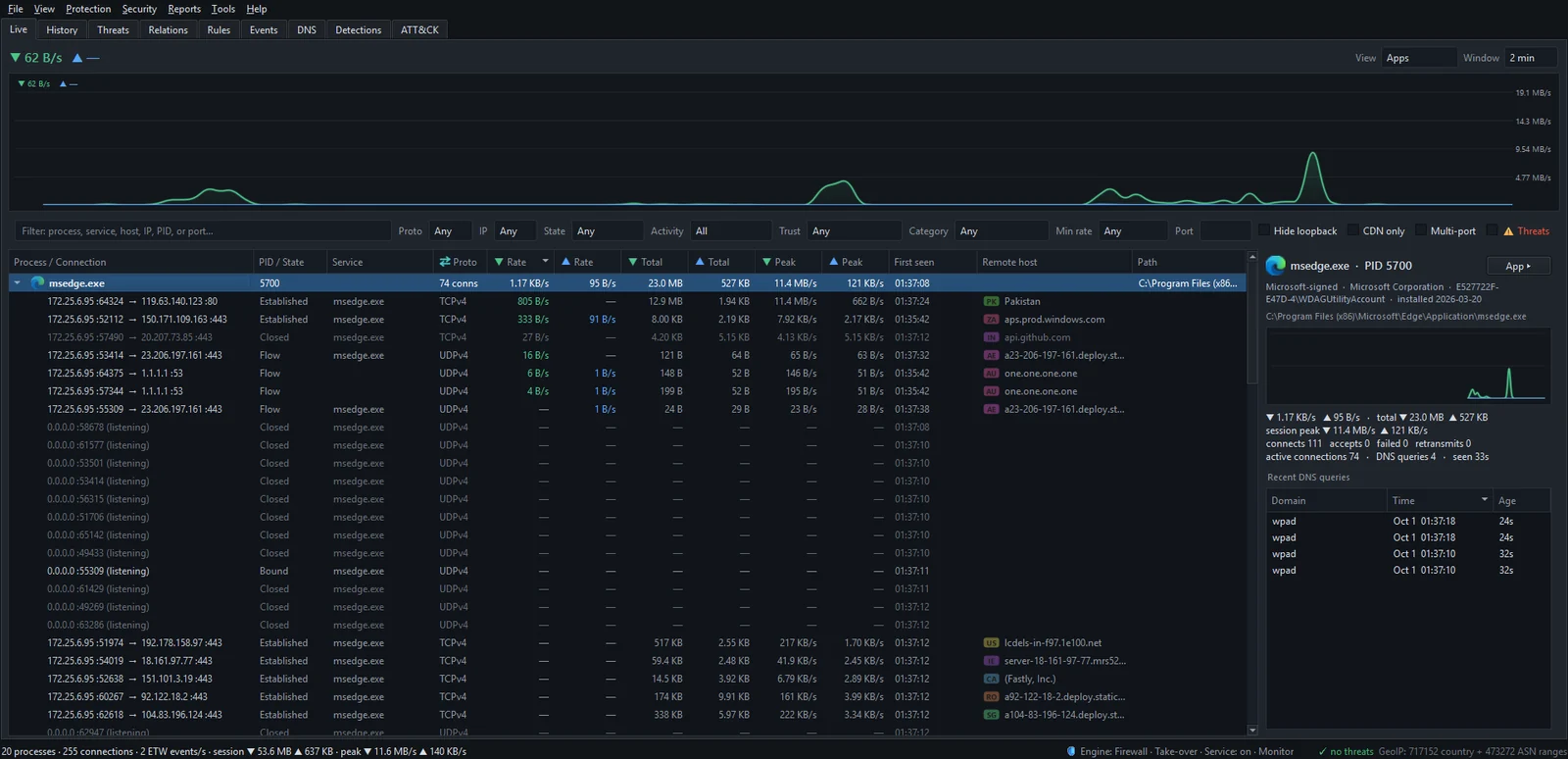
To list only the programs waiting for inbound connections, set the State filter above the list to Listening. Select a program and the details pane on the right counts its connects (outbound connection attempts) and accepts (inbound connections it accepted) for this session.
Controlling each direction
Every block NetSecWall creates on its own is an outbound block: Block this app (permanent, for 10 minutes or for 1 hour), the pop-up from Protection ▸ Filtering mode ▸ Learning — ask when a new app connects, country and category blocks, and Block all outbound (panic). That is deliberate. Inbound traffic is already handled by the router and Windows Firewall's defaults; outbound is where a program you installed can send whatever it likes.
For inbound, you write the rule yourself in the Rules tab:
- Open the Rules tab and click New rule….
- Give it a Name, set Direction to Inbound and Action to Block.
- Choose the Protocol and enter the Local ports, for example
3389for Remote Desktop. - Pick the Profiles it applies to and click OK.
Rules made this way are ordinary Windows Firewall rules, so they stay in place whether NetSecWall is running or not. The step-by-step version, with remote addresses and programs, is in create a custom firewall rule.
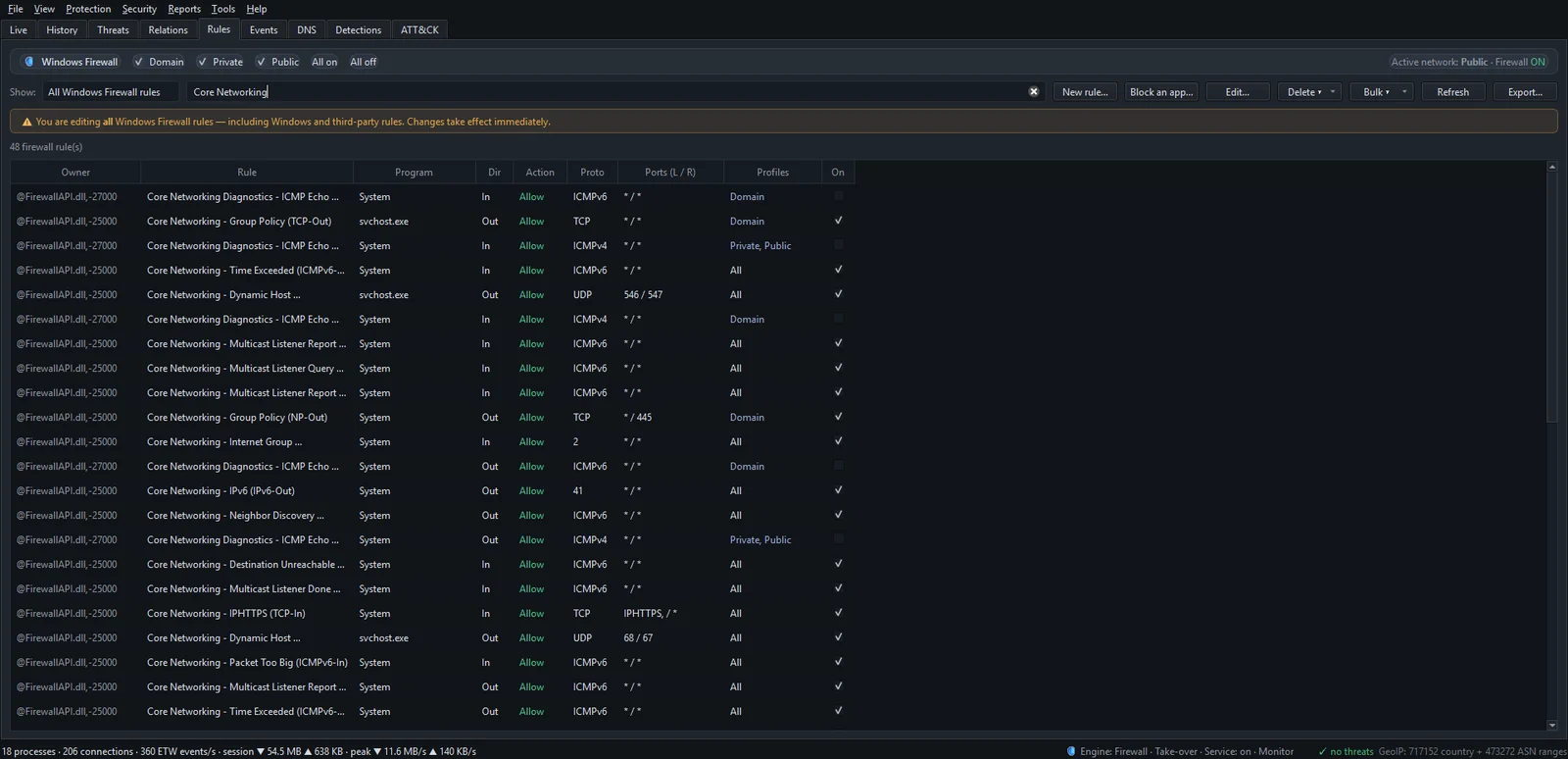
New rule… isn't available while the NetSecWall background service is running. Use Windows Defender Firewall with Advanced Security (wf.msc) for custom rules, or stop the service first from Tools ▸ Background service.
Blocking inbound traffic on a port you rely on cuts that service off. An inbound block on 3389 ends your own Remote Desktop sessions into this PC.
The short version
Direction is about who dials. Your router and Windows Firewall already say no to most calls coming in. Almost everything your PC sends to the outside world goes out on calls it placed itself, and by default nothing asks whether it should. If you want to see those calls and decide which programs get to make them, download the 7-day trial and watch the Live tab for a day.
Frequently asked questions
Does downloading a file count as inbound traffic?
The data comes in, but the connection is outbound, because your PC started it. Firewalls judge the connection by who opened it, so an outbound rule is what controls a download.
Is inbound or outbound traffic more dangerous?
Unsolicited inbound connections are the classic way in for attacks, which is why they are blocked by default. Once something is running on your PC, though, it communicates outbound, so outbound is where you catch software doing things you didn't ask for.
Do I need to block inbound connections if I'm behind a router?
Usually not beyond Windows Firewall's defaults, because NAT already drops unsolicited traffic from the internet. It matters more on shared networks, like public Wi-Fi, and for ports you forwarded yourself.
Why does Windows Firewall allow all outbound traffic?
Blocking outbound by default would break every app until someone wrote a rule for it. Windows chooses compatibility, which leaves outbound control to you or to a tool that manages it.
Can an app receive messages without an inbound connection?
Yes. Chat and notification services keep a long-lived outbound connection open, and the server sends messages back down it. From the firewall's point of view that is still an outbound connection.
Keep reading
 Why you need a firewall and an antivirus, and what each one misses
An antivirus judges files and program behavior; a firewall judges connections. Each misses what the other sees, from a clean-looking tool phoning out to malware that never touches the network.
Why you need a firewall and an antivirus, and what each one misses
An antivirus judges files and program behavior; a firewall judges connections. Each misses what the other sees, from a clean-looking tool phoning out to malware that never touches the network.
 What is a port? 443, 53, 3389 and friends
A port is a number from 0 to 65535 that tells a computer which program a piece of network traffic is for. Servers wait on well-known ports like 443 or 53; your side uses a random high port.
What is a port? 443, 53, 3389 and friends
A port is a number from 0 to 65535 that tells a computer which program a piece of network traffic is for. Servers wait on well-known ports like 443 or 53; your side uses a random high port.
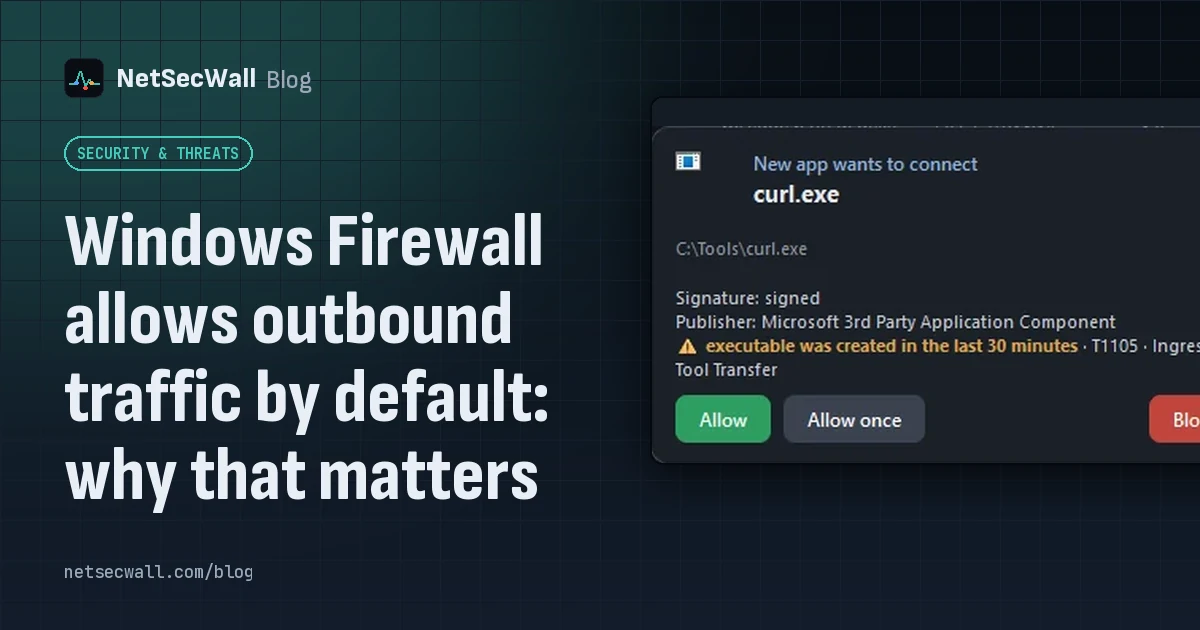 Windows Firewall allows outbound traffic by default: why that matters
Out of the box, Windows Defender Firewall blocks unsolicited inbound connections but lets every program connect out. That keeps things working, and it means nothing stops an unwanted app phoning home.
Windows Firewall allows outbound traffic by default: why that matters
Out of the box, Windows Defender Firewall blocks unsolicited inbound connections but lets every program connect out. That keeps things working, and it means nothing stops an unwanted app phoning home.
 What is the Windows Filtering Platform?
The Windows Filtering Platform (WFP) is the engine inside Windows that decides whether network traffic may pass. Windows Defender Firewall is built on it, and so are many VPNs and security tools.
What is the Windows Filtering Platform?
The Windows Filtering Platform (WFP) is the engine inside Windows that decides whether network traffic may pass. Windows Defender Firewall is built on it, and so are many VPNs and security tools.