What is a port? 443, 53, 3389 and friends
A port is a number from 0 to 65535 that tells a computer which program a piece of network traffic is for. Servers wait on well-known ports like 443 or 53; your side uses a random high port.
NetSecWall for Windows
On this page
What is a network port? It's a number from 0 to 65535 that tells a computer which program a piece of traffic belongs to. The IP address gets data to the right machine; the port gets it to the right program on that machine. Servers wait on well-known ports, such as 443 for secure websites or 53 for DNS, while your side of a connection uses a random high number that Windows picks and throws away afterwards.
What is a network port, really
Picture an apartment building. The street address gets a letter to the building; the apartment number gets it to the right door. On a network, the IP address is the street address and the port is the apartment number.
A few details make the picture complete:
- Ports are just numbers. Nothing physical is involved. A port is "open" only when a program is listening on it.
- TCP and UDP have separate sets. TCP port 53 and UDP port 53 are different doors that happen to share a number.
- Every connection has two ports, one at each end. A connection is identified by five things together: the protocol, your address, your port, the remote address and the remote port. That is why your browser can hold dozens of connections to port 443 at once without mixing them up.
The Internet Assigned Numbers Authority (IANA) splits the range into three bands: 0–1023 are the well-known ports, 1024–49151 are registered to particular services, and 49152–65535 are left for temporary use.
The well-known ports you'll actually see
These are the numbers that turn up on an ordinary Windows PC.
| Port | Protocol | What it is | Where you'll notice it |
|---|---|---|---|
| 443 | TCP, UDP | HTTPS; on UDP it's QUIC (HTTP/3) | Almost all web and app traffic |
| 80 | TCP | Plain HTTP | Redirects, some downloads, hotel Wi-Fi sign-in pages |
| 53 | UDP, TCP | DNS | Name lookups to your DNS server |
| 853 | TCP | DNS over TLS | Encrypted DNS, if something uses it |
| 123 | UDP | NTP | Windows keeping its clock right |
| 22 | TCP | SSH | Remote shells, Git over SSH |
| 3389 | TCP, UDP | Remote Desktop | A listener when Remote Desktop is turned on |
| 445 | TCP | SMB file sharing | Shared folders and network drives |
| 137–139 | UDP, TCP | NetBIOS | Older Windows network browsing |
| 5353 | UDP | mDNS | Finding printers, speakers and TVs on your network |
| 5355 | UDP | LLMNR | Local name lookups between Windows PCs |
| 1900 | UDP | SSDP | Discovering UPnP devices |
| 67, 68 | UDP | DHCP | Getting an address from your router |
| 587, 993 | TCP | Mail submission, IMAP over TLS | Desktop email clients |
Treat the table as a convention, not a guarantee. Any program can use any port. Traffic on 443 is usually HTTPS, but a port number proves nothing about what is inside, and plenty of unwanted software uses 443 precisely because it blends in.
Ephemeral ports: the random number on your side
When your PC opens a connection, Windows gives your side a temporary port from its dynamic range, which is 49152–65535 by default on current versions of Windows. When the connection closes, the number goes back in the pool. These are called ephemeral ports.
So on an outbound connection the local port is noise. It changes every time and tells you nothing. The remote port is the useful one: it names the service you're talking to. If you are curious about your own range, netsh int ipv4 show dynamicport tcp shows it.
Local port and remote port
Put the two together and you can read any connection:
- Outbound (your PC called out): local port is high and random, remote port is the service.
10.0.0.5 :51234 → 142.250.74.46 :443is a secure web connection. - Inbound (another machine called you): local port is the service, remote port is the other machine's random one.
10.0.0.5 :3389 → 10.0.0.9 :50122is someone connected to your Remote Desktop. - Loopback (both ends are this PC,
127.0.0.1or::1): two programs on your computer talking to each other, often an app and its own helper process.
Direction has its own explainer in inbound and outbound connections. The state a connection is in, such as ESTABLISHED or TIME_WAIT, is covered in TCP states decoded.
How to see ports on Windows
Windows has three built-in ways:
netstat -anoin Command Prompt lists every TCP and UDP endpoint with its process ID.Get-NetTCPConnectionandGet-NetUDPEndpointin PowerShell give the same data as objects you can filter.- Resource Monitor (
resmon) has a Listening Ports section on its Network tab.
They all show a snapshot, and you have to match process IDs to programs yourself. Finding which app is using a port walks through that.
Ports in NetSecWall
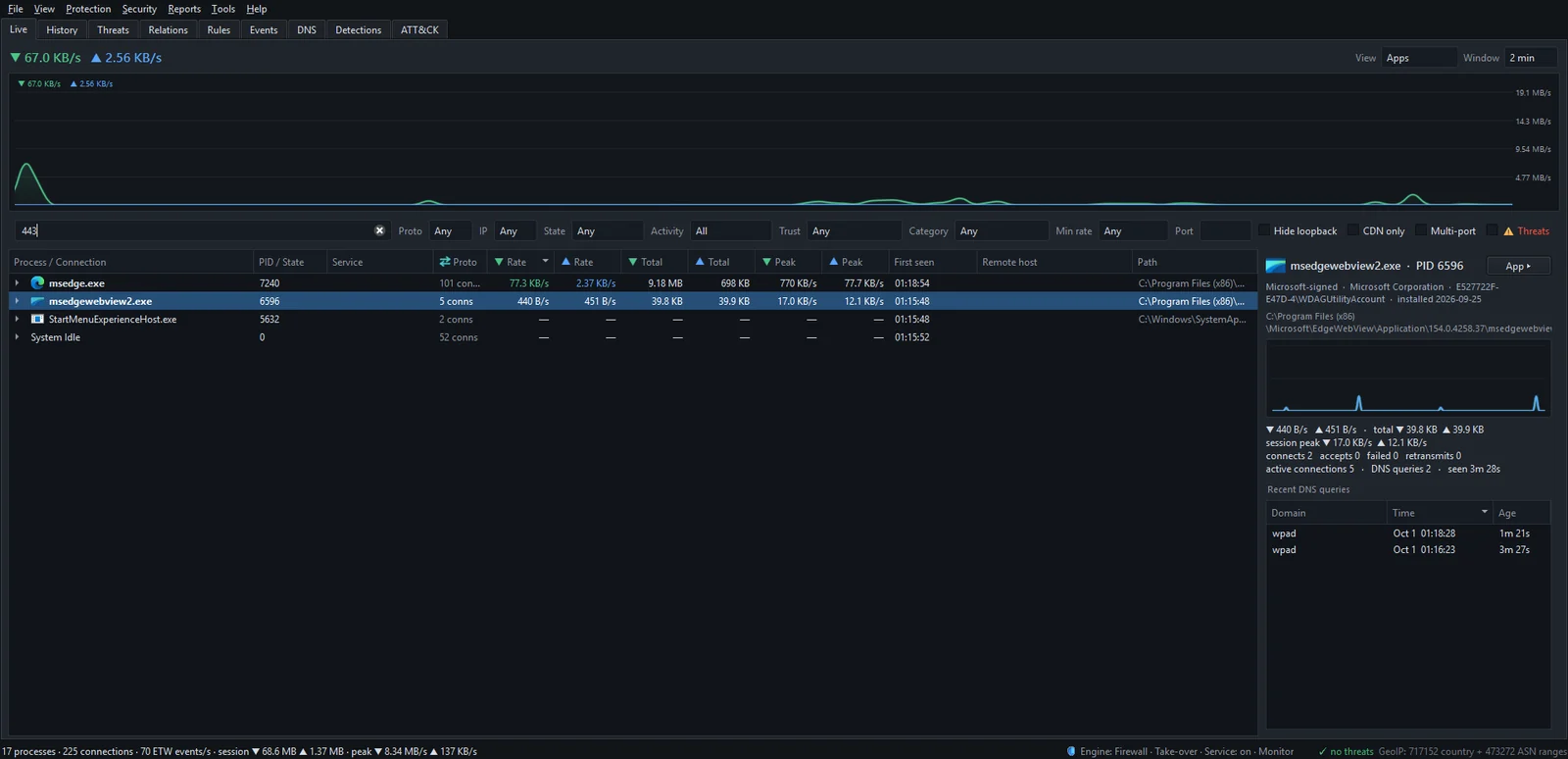
In the Live tab, each program expands into its connections, written as local :port → remote :port, or :port (listening) for a socket waiting for inbound connections. The Proto column says TCPv4, TCPv6, UDPv4 or UDPv6, so you can tell TCP 53 from UDP 53 at a glance.
The filter bar above the list does the matching for you:
- Type a number into the Port box. NetSecWall keeps only connections where either the local or the remote port matches.
- Set Proto to TCP or UDP if you care about one of them.
- Tick Hide loopback to drop programs talking to themselves.
The main text box, "Filter: process, service, host, IP, PID, or port…", also accepts a port number, which is quicker for a one-off check.
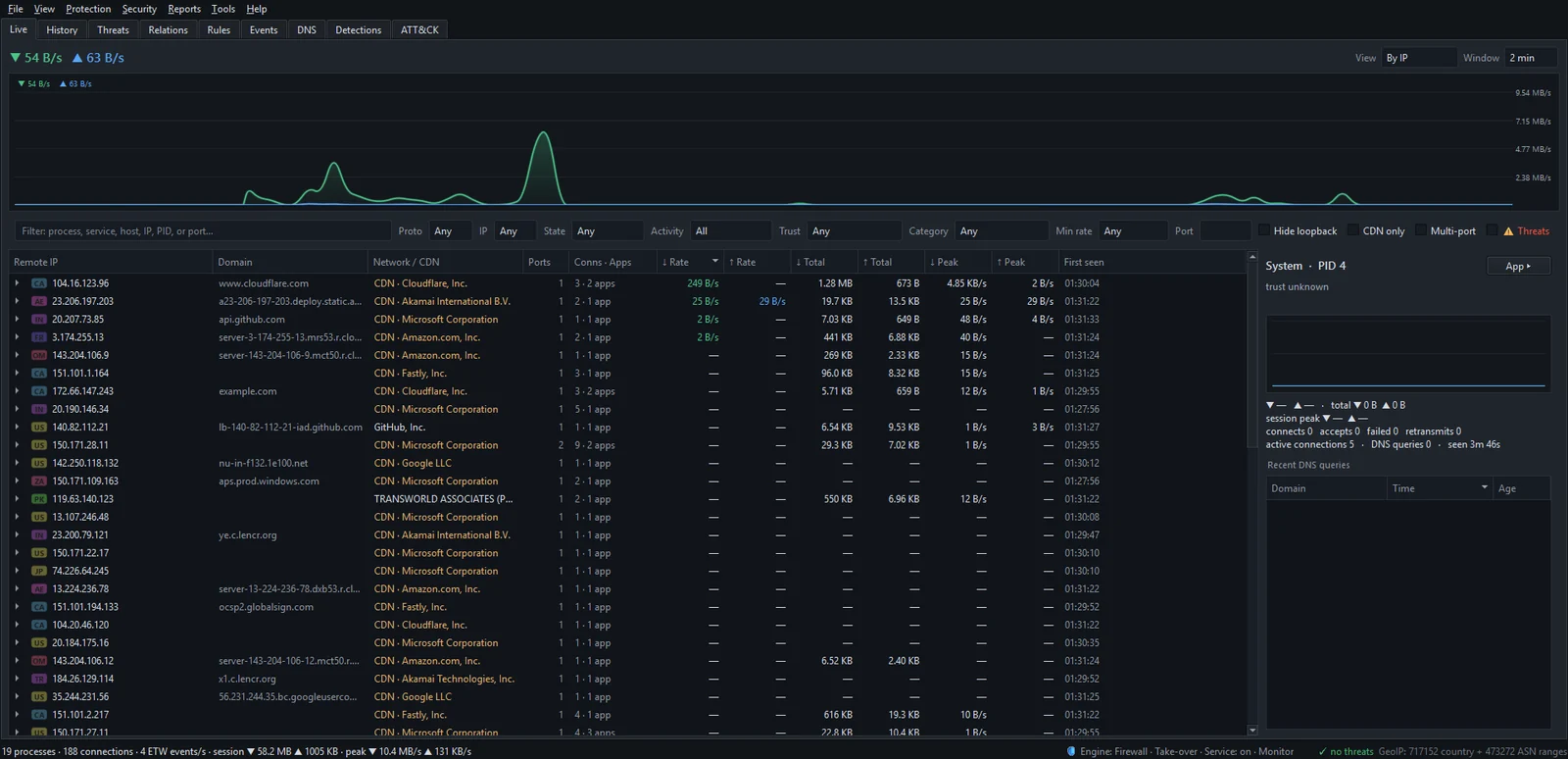
The grouped views (By IP, By Domain, By Country) add a Ports column that lists the ports used with each address. The Multi-port checkbox keeps only groups talking on two or more ports, which is a quick way to spot an address used for more than ordinary web traffic. Filtering the Live tab covers every option.
If you run the Plus plan or higher, the detection engine also treats a short list of ports associated with remote-access tools, such as 4444, 1337 and 31337, as one weak signal ("Non-Standard Port", MITRE ATT&CK T1571). On its own it won't flag anything; combined with other signals it raises a program's risk score. The list is editable under Security ▸ Detection rules…, in the RAT / C2 ports catalog.
Closing or blocking a port
A port stops being open when the program listening on it stops. If you can't stop the program, block the port with a firewall rule. In NetSecWall that is Rules ▸ New rule…, with Local ports for traffic arriving at your PC and Remote ports for traffic you send out; ports apply to TCP and UDP only. Create a custom firewall rule has the details, including the caveat about the background service.
Don't block outbound 53 or 443 as a general tightening measure. Almost everything on the PC depends on them. Block the program, not the port.
The short version
Ports are apartment numbers for programs. The remote port on an outbound connection tells you the service; the local one is a throwaway. A listening port is a door someone could knock on; an outbound 443 is not. To see every port every program is using right now, download the 7-day trial and type a port number into the Live tab's filter.
Frequently asked questions
Is port 443 "open" on my PC because I browse the web?
No. Browsing uses port 443 on the remote server. Your PC only has a port open if a program on it is listening, which you can check with netstat -ano or NetSecWall's State filter set to Listening.
Why does one app have so many connections to port 443?
Modern apps and browsers open several connections at once to different servers: the site itself, its images, fonts, APIs and analytics. Each gets its own random local port, so they all look alike apart from the address.
Can two programs use the same port?
Two programs can't normally listen on the same address, port and protocol at once. Many programs can connect out to the same remote port, such as 443, because each connection has its own local port.
What is UDP port 443?
It's QUIC, the transport behind HTTP/3. Chrome, Edge and Firefox use it with sites that support it, so UDP traffic to port 443 from a browser is normal.
Should I block port 80?
Usually not. Many sites still use port 80 to redirect you to the secure version, and public Wi-Fi sign-in pages rely on it. If you want to stop a specific program from using plain HTTP, block that program's connections instead.
Keep reading
 ESTABLISHED, TIME_WAIT, LISTENING: TCP states decoded
TCP states show where a connection is in its life: LISTENING waits, SYN_SENT is dialing, ESTABLISHED is talking, CLOSE_WAIT and TIME_WAIT are the goodbye. Most are harmless; piles of some are clues.
ESTABLISHED, TIME_WAIT, LISTENING: TCP states decoded
TCP states show where a connection is in its life: LISTENING waits, SYN_SENT is dialing, ESTABLISHED is talking, CLOSE_WAIT and TIME_WAIT are the goodbye. Most are harmless; piles of some are clues.
 How to find which app is using a port on Windows
Run netstat -ano to get the process ID (PID) that owns the port, then look that PID up in Task Manager. PowerShell's Get-NetTCPConnection and Resource Monitor give the same answer.
How to find which app is using a port on Windows
Run netstat -ano to get the process ID (PID) that owns the port, then look that PID up in Task Manager. PowerShell's Get-NetTCPConnection and Resource Monitor give the same answer.
 How NetSecWall sees every connection without a driver
NetSecWall reads what Windows already records: kernel network events through ETW, DNS answers, and the TCP and UDP tables. It sees which app talks to which address without capturing a single packet.
How NetSecWall sees every connection without a driver
NetSecWall reads what Windows already records: kernel network events through ETW, DNS answers, and the TCP and UDP tables. It sees which app talks to which address without capturing a single packet.
 Inbound and outbound connections, in plain English
A connection is outbound when your PC starts it, inbound when another machine does. Your router and Windows Firewall stop most unsolicited inbound traffic, so outbound is where apps phone home.
Inbound and outbound connections, in plain English
A connection is outbound when your PC starts it, inbound when another machine does. Your router and Windows Firewall stop most unsolicited inbound traffic, so outbound is where apps phone home.