NetSecWall 1.2.1: updates must be signed by us
NetSecWall 1.2.1 installs an update only if it's signed by the same publisher as your copy, and fixes a crash when updates finished downloading. On 1.1.0 or 1.2.0, download 1.2.1 from the website.
NetSecWall for Windows
On this page
The NetSecWall 1.2.1 update, released September 30, 2026, changes two things. It refuses to install an update unless the installer is signed by the same publisher as the copy you're running. And it fixes a crash that closed NetSecWall the moment an in-app update finished downloading. If you're on 1.1.0 or 1.2.0, the app won't offer you 1.2.1. Download it from the website and run it. Your settings, history and license are kept.
Why a checksum alone isn't enough
Any program that updates itself runs code it downloaded from the internet, with administrator rights. That makes the updater one of the most sensitive parts of a security tool. If someone could slip a different installer into that channel, every copy would run it.
Before 1.2.1, NetSecWall checked each downloaded installer against a SHA-256 fingerprint published in its update feed. That catches a corrupted download or a file swapped in transit. But the fingerprint comes from the same place as the instruction to update. If the feed itself were ever tampered with, a malicious installer could arrive with a matching fingerprint.
A code signature is an independent check. It can only be produced with the publisher's private signing key, which is kept apart from the update service. Requiring both a matching fingerprint and the right signature means an attacker would have to compromise two separate things. NetSecWall applies the same idea to the other programs on your PC. Its "App binary changed / signature regressed" alert fires when a trusted app's file suddenly changes.
What 1.2.1 checks before it installs an update
When an update finishes downloading, NetSecWall 1.2.1:
- Checks the file against the SHA-256 fingerprint from the update feed, as before.
- Asks Windows to verify the installer's Authenticode signature: it must be valid, chain to a certificate Windows trusts, and cover the file exactly as it was signed.
- Compares the signer with the copy that's running. The signing certificate's common name (CN) and organization (O) must both match.
If any check fails, the installer is refused and deleted, and the message says why. Examples: "it is not signed", "it was changed after it was signed", or that it's signed by someone other than NetSecWall's publisher. You stay on the version you have.
When everything checks out, the prompt names the publisher it verified: the update "was downloaded and verified: its SHA-256 matches the update feed, and it is signed by" the publisher. It then asks whether to install now. NetSecWall closes, updates and reopens.
The same check applies to updates pushed to managed PCs by a NetSecWall Management Server (Enterprise, beta). A refused push shows "NetSecWall — update not installed" on the PC instead of failing silently.
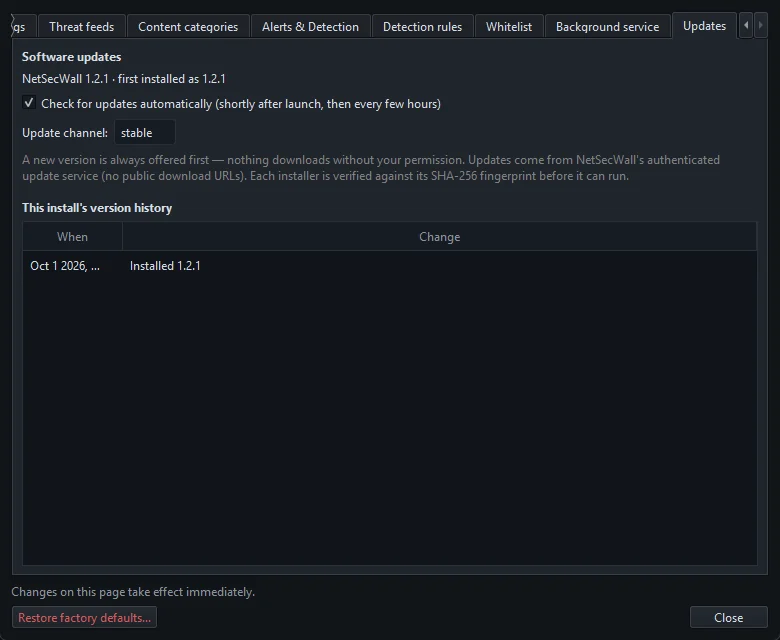
Nothing downloads without your permission. With Check for updates automatically on, NetSecWall checks shortly after it starts and then every few hours, and asks before downloading. You can also check by hand with Help ▸ Check for updates…. More in updating NetSecWall.
The updater crash, and why older versions must update by hand
In 1.1.0 and 1.2.0, NetSecWall closed unexpectedly as soon as an update finished downloading, before it could be installed. The bug is in the old updater itself, so an update delivered through that updater can't fix it. The version that knows how to install updates properly never gets the chance to run.
So 1.1.0 and 1.2.0 are no longer offered updates from inside the app. They need one manual step to reach 1.2.1. From 1.2.1 on, NetSecWall updates itself again.
Getting the NetSecWall 1.2.1 update on 1.1.0 or 1.2.0
- Check your version with Help ▸ About NetSecWall.
- Go to the download page and download
NetSecWall-1.2.1-Setup.exe(12.5 MB). - Optional: check the file. In PowerShell,
Get-FileHash .\NetSecWall-1.2.1-Setup.exeprints its SHA-256, which should match the one on the download page.Get-AuthenticodeSignature .\NetSecWall-1.2.1-Setup.exeshows whether the signature is valid and who signed it. The file's Properties ▸ Digital Signatures tab shows the same. - Run the installer. Windows' permission prompt shows the verified publisher.
- When setup says NetSecWall is already installed, choose No to upgrade in place. The prompt marks this option as recommended because it keeps your license, history and rules.
- Finish the wizard and let NetSecWall start.
- Open Help ▸ Update history…. The first line now names version 1.2.1.
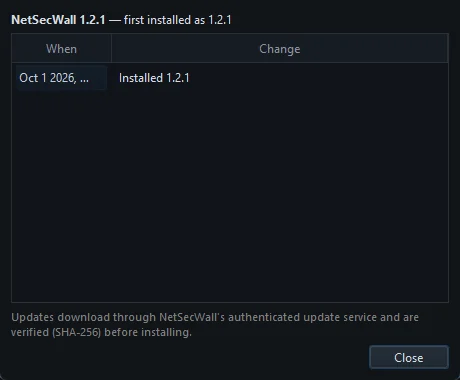
For many PCs, run the same installer with the silent switches instead. The upgrade keeps everything in place. See silently deploying NetSecWall.
Also in 1.2.1: managed devices (Enterprise, beta)
Two changes for PCs managed by a NetSecWall Management Server:
- Release. The console can now end an isolation it started. An isolation that the policy itself requires stays until the policy changes. Keep in mind that an isolated PC can't reach a management server on another machine, so this only works while the PC can still reach the server.
- Skipped commands. A command this version of the app doesn't act on is now reported to the console as skipped, not as done.
What you need to do
- On 1.2.1 already: nothing. Keep automatic update checks on and future updates arrive with the publisher check.
- On 1.1.0 or 1.2.0: download 1.2.1 from the download page and run it, as above.
- Not sure: check Help ▸ About NetSecWall.
Every version's notes are on the changelog. What 1.2.0 brought is in NetSecWall 1.2.0: Family and Pro leave beta.
Frequently asked questions
Why doesn't NetSecWall 1.2.0 offer me the 1.2.1 update?
Because 1.1.0 and 1.2.0 crash when an in-app update finishes downloading, the update service no longer offers them one. Download 1.2.1 from the website and run it once. After that, updates work from inside the app.
Will I lose my settings, rules or license by installing 1.2.1 over 1.2.0?
No. Choose to upgrade in place when setup asks. Your license, history database, rules and settings are kept.
What happens if an update fails the signature check?
NetSecWall refuses the installer, deletes it and tells you why, and you stay on your current version. You can always download the installer from the website and check its signature yourself. If you see a refusal, tell us through a support ticket.
Do updates pushed by a Management Server get the same check?
Yes. A managed PC on 1.2.1 or later installs a pushed update only if its fingerprint matches and it's signed by NetSecWall's publisher. Otherwise it shows "update not installed".
Is NetSecWall 1.2.1 on the Microsoft Store?
Not yet. Download it from the NetSecWall website.
Keep reading
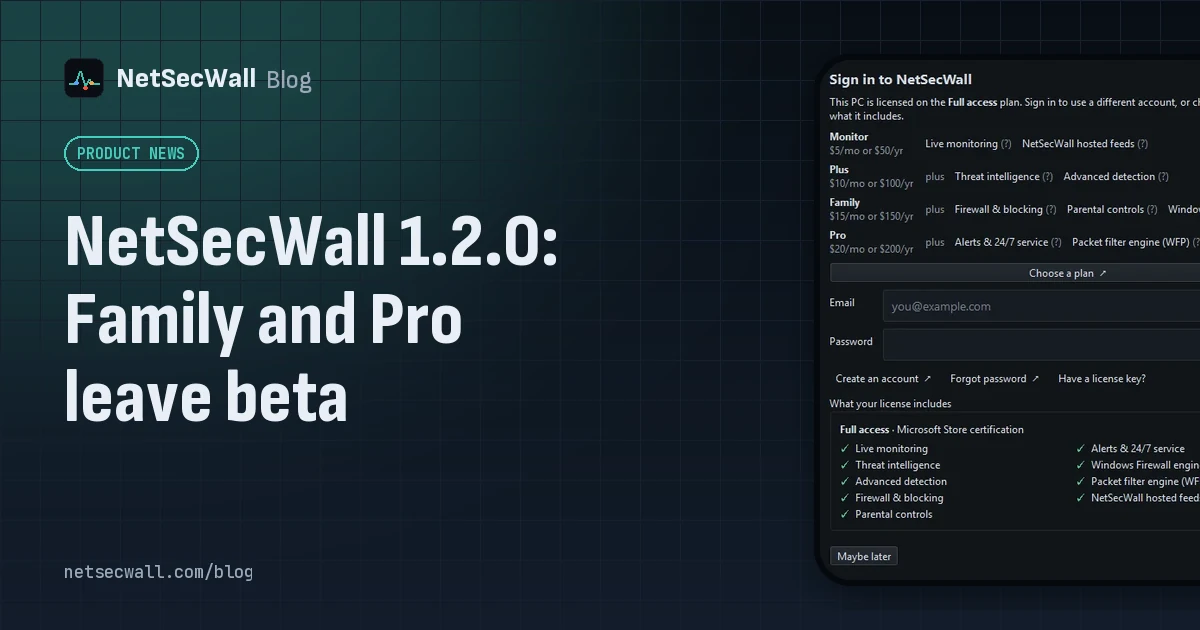 NetSecWall 1.2.0: Family and Pro leave beta
NetSecWall 1.2.0 takes Family and Pro out of beta, signs the installer and app, downloads every list from NetSecWall's servers on all plans, and brings license-key entry back into the app.
NetSecWall 1.2.0: Family and Pro leave beta
NetSecWall 1.2.0 takes Family and Pro out of beta, signs the installer and app, downloads every list from NetSecWall's servers on all plans, and brings license-key entry back into the app.
 Why is an app on my PC talking to a Tor exit node?
Usually because something on your PC accepts connections arriving through Tor, a peer-to-peer app met a Tor user, or a program uses Tor itself. Malware does too, so check the app and direction.
Why is an app on my PC talking to a Tor exit node?
Usually because something on your PC accepts connections arriving through Tor, a peer-to-peer app met a Tor user, or a program uses Tor itself. Malware does too, so check the app and direction.
 Can kids get around parental controls? An honest answer
Yes. A determined child can get around almost any parental control, especially with admin rights, another device or a VPN. You can make it much harder, and talking to them does more than any setting.
Can kids get around parental controls? An honest answer
Yes. A determined child can get around almost any parental control, especially with admin rights, another device or a VPN. You can make it much harder, and talking to them does more than any setting.
 Why you need a firewall and an antivirus, and what each one misses
An antivirus judges files and program behavior; a firewall judges connections. Each misses what the other sees, from a clean-looking tool phoning out to malware that never touches the network.
Why you need a firewall and an antivirus, and what each one misses
An antivirus judges files and program behavior; a firewall judges connections. Each misses what the other sees, from a clean-looking tool phoning out to malware that never touches the network.