How the 7-day free trial works
Every NetSecWall install gets 7 days with every feature unlocked, with no card, account or key. The trial is tied to the PC, starts when the app first goes online, and reinstalling doesn't reset it.
NetSecWall for WindowsOn this page
The NetSecWall free trial gives every install 7 days with every feature unlocked: monitoring, blocking, threat intelligence, detection, parental controls, both blocking engines and remote alerts. You don't enter a card, create an account or type a key. The 7 days start the first time NetSecWall reaches the internet, they belong to that PC, and uninstalling and reinstalling doesn't give you a new trial.
How to start the NetSecWall free trial
- Install NetSecWall from the download page.
- Open it with the PC connected to the internet.
That's all. The first time the app reaches netsecwall.com, the license server records the start of your trial and unlocks everything. Until that first contact, NetSecWall shows a lock screen asking you to connect to the internet once, with a Start your free trial button. After that, the trial keeps running even if the PC goes offline.
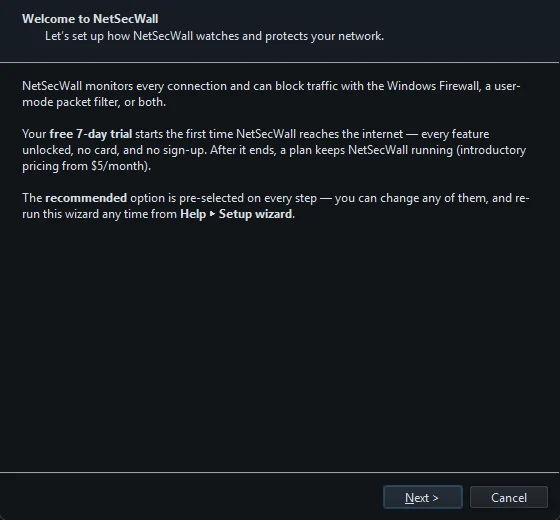
What you see during the trial
- A blue banner above the tabs counts down the days left and says everything is unlocked, with See plans and Sign in buttons.
- The mode chip in the status bar at the bottom starts with Trial: and the number of days left.
- Help ▸ Sign in to NetSecWall… shows how many trial days you have and lists what is unlocked.
Use the week the way you'd use the product: leave it running, see what your programs connect to, try blocking something and undoing it, and look at the Threats and Detections tabs. Your first week with NetSecWall suggests a plan.
Why reinstalling doesn't reset the trial
The trial clock is kept on NetSecWall's license server, not on your PC. It is keyed to a one-way fingerprint of the device, a hash built from hardware and Windows identifiers; the raw values never leave the PC. Reinstalling NetSecWall, clearing its settings or moving it to another folder all lead back to the same fingerprint and the same, already-running trial.
Setting the Windows clock back doesn't help either. NetSecWall notices the clock going backwards and checks with the server instead of trusting its saved copy.
What happens when the trial ends
There is no free tier. When the 7 days are up and no plan is active, NetSecWall locks:
- The window shows NetSecWall is locked with the reason, and the buttons Choose a plan, Sign in and Retry.
- Monitoring, alerts and blocking stop.
- Nothing is deleted. Your history, rules and settings stay on the PC, and activating a plan later picks up where you left off.
If you rely on NetSecWall's blocks or parental controls, choose a plan before the trial ends. Once the app locks, it stops enforcing them.
To keep going, pick a plan on the pricing page (which plan do I need? helps you decide), pay, and then sign in or activate your license key.
Buying before the trial ends
You can buy and activate a plan at any point during the trial. Doing so doesn't cut the trial short: every feature stays unlocked until the 7 days are up, and from then on you have the features of the plan you bought.
Payment is in cryptocurrency and those orders are final, so the trial is the time to make sure NetSecWall suits your PC and your network. If something doesn't work, open a support ticket before you pay rather than after.
Frequently asked questions
Do I need a credit card or an account for the NetSecWall trial?
No. There is no card, no account, no email and no key. Install NetSecWall and let it reach the internet once.
Can I extend the trial or start another one?
Not by reinstalling. The trial belongs to the PC on NetSecWall's server, and uninstalling, reinstalling or clearing settings leads back to the same trial.
Does the trial include every feature?
Yes. Everything in the Pro plan is unlocked for the 7 days, including blocking, parental controls, threat intelligence, detection, both blocking engines and remote alerts.
What happens to my data when the trial ends?
It stays on your PC. NetSecWall locks and stops monitoring and blocking, but your history, rules and settings are kept, and they come back as soon as you activate a plan.