ESTABLISHED, TIME_WAIT, LISTENING: TCP states decoded
TCP states show where a connection is in its life: LISTENING waits, SYN_SENT is dialing, ESTABLISHED is talking, CLOSE_WAIT and TIME_WAIT are the goodbye. Most are harmless; piles of some are clues.
NetSecWall for Windows
On this page
- TCP connection states in one phone call
- The states you'll actually see
- Why TIME_WAIT hangs around
- What a pile of each state suggests
- Lots of SYN_SENT
- Lots of CLOSE_WAIT
- Lots of TIME_WAIT
- ESTABLISHED to many places
- An unexpected LISTENING socket
- And UDP?
- Reading states in NetSecWall
- The short version
TCP connection states describe where a connection is in its life, from the first hello to the last goodbye. LISTENING means a program is waiting for someone to connect, SYN_SENT means your PC is dialing and hasn't heard back, ESTABLISHED means the two sides are talking, and CLOSE_WAIT and TIME_WAIT are stages of hanging up. Most of what you see in netstat is perfectly normal. A pile of one particular state in one program, though, is a useful clue.
TCP connection states in one phone call
TCP, the protocol behind web browsing, email and most app traffic, sets up every connection like a careful phone call.
Opening: the three-way handshake. Your PC sends a SYN ("can you hear me?"). The server answers with a SYN-ACK ("yes, can you hear me?"). Your PC replies with an ACK ("yes"). Now both sides know the line works, and the connection is ESTABLISHED.
Closing: two goodbyes. Each side hangs up its own half of the line. One side sends a FIN ("I'm done talking"), the other acknowledges it. Later the second side sends its own FIN and gets its acknowledgment. Because the two halves close separately, there are several in-between states, and that is where most of the confusing names come from.
The states you'll actually see
Windows' netstat uses underscores; NetSecWall uses the same names with hyphens and normal capitalization.
| netstat | NetSecWall | What it means | Normally lasts |
|---|---|---|---|
| LISTENING | Listening | A program is waiting for inbound connections on a port | As long as the program runs |
| SYN_SENT | Syn-Sent | Your PC sent a SYN and is waiting for an answer | A fraction of a second |
| SYN_RECEIVED | Syn-Received | Someone asked to connect to you; you answered and are waiting for their ACK | A fraction of a second |
| ESTABLISHED | Established | Connected; both sides can send | Seconds to days |
| FIN_WAIT_1, FIN_WAIT_2 | Fin-Wait-1, Fin-Wait-2 | This side hung up first and is waiting for the other side | Brief |
| CLOSE_WAIT | Close-Wait | The other side hung up; this program hasn't closed its end yet | Brief, if the program is well behaved |
| CLOSING, LAST_ACK | Closing, Last-Ack | Final acknowledgments in flight | Brief |
| TIME_WAIT | Time-Wait | Fully closed, but kept on file for a short while | A couple of minutes |
The useful thing to remember about CLOSE_WAIT and TIME_WAIT is who is waiting. CLOSE_WAIT is on the side that was hung up on, waiting for its own program to finish. TIME_WAIT is on the side that hung up first.
Why TIME_WAIT hangs around
TIME_WAIT looks like clutter, but it's deliberate. After the last goodbye, the side that closed first keeps a record of the connection for a couple of minutes, for two reasons: if its final acknowledgment got lost, it can send it again, and any stray, delayed packets from the old connection won't be mistaken for part of a new one that reuses the same ports.
On Windows, TIME_WAIT sockets usually no longer belong to any program, so netstat -ano shows them under process ID 0 rather than under the browser that made them. NetSecWall shows process 0 as System Idle, so that is where a crowd of Time-Wait rows usually ends up.
What a pile of each state suggests
Lots of SYN_SENT
A connection should only sit in SYN_SENT for a moment. If one program keeps showing several, its connection attempts aren't being answered. Common innocent causes: the server is down, a hotel or office network is filtering that traffic, or you're behind a Wi-Fi sign-in page. Less innocent: a program trying a long list of different addresses (scanning), or malware repeatedly calling a server that has been taken down, often on a steady timer. That last pattern is beaconing. Look at how many different addresses are involved, whether the attempts repeat on a schedule, and whether the program is signed.
Lots of CLOSE_WAIT
Many CLOSE_WAIT rows in one program means the servers hung up and the program never closed its end. That is almost always a bug or a leak in the program, not an attack. The sockets go away when the program closes them or exits, so restarting the program is the practical fix.
Lots of TIME_WAIT
Normal. Browsers, download managers and update tools open and close many short connections, and each one leaves a TIME_WAIT record behind for a couple of minutes. It only matters on servers making huge numbers of connections per second.
ESTABLISHED to many places
Browsers, chat apps and sync clients keep many connections open at once. The same picture from a small, unfamiliar or unsigned program reaching dozens of unrelated hosts is worth a look; see how to spot malware by its network traffic.
An unexpected LISTENING socket
A listener is a door someone could knock on. Know which programs have one, and check any you don't recognize, especially one listening on all interfaces. Inbound and outbound connections explains what listening does and doesn't expose.
And UDP?
UDP, used for DNS, video calls, games and HTTP/3, has no handshake and no hang-up, so it has no states at all. netstat lists UDP endpoints with a blank state column. NetSecWall uses two labels of its own instead:
- Bound: a UDP socket that is open on a local port, ready to send or receive.
- Flow: UDP traffic NetSecWall has seen passing between your PC and a specific remote address.
Reading states in NetSecWall
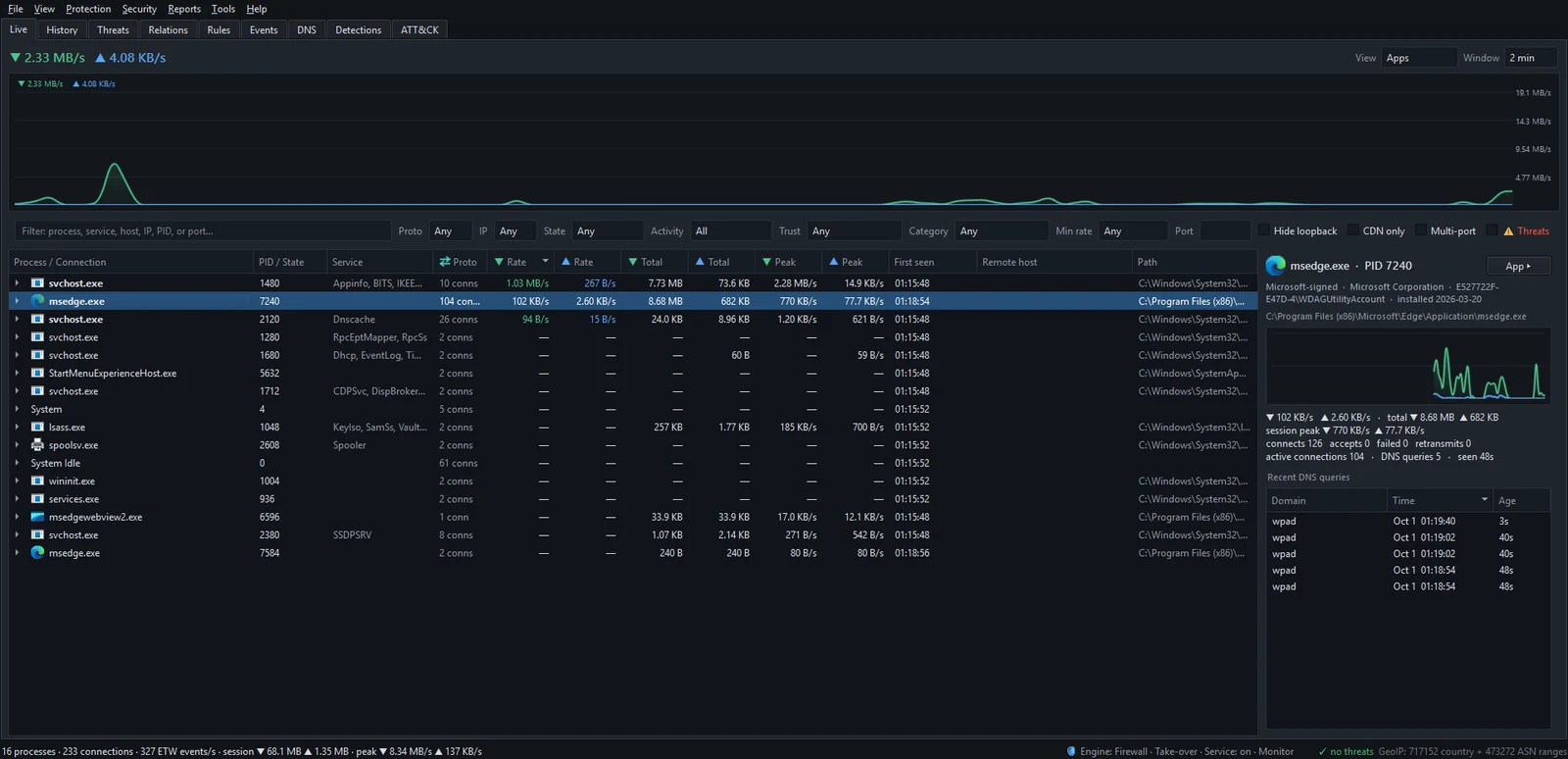
In the Live tab, expand any program to see its connections. For a program row the PID / State column shows its process ID; for each connection underneath, it shows the state: Established, Listening, Syn-Sent, Close-Wait, Time-Wait and the rest, or Bound and Flow for UDP.
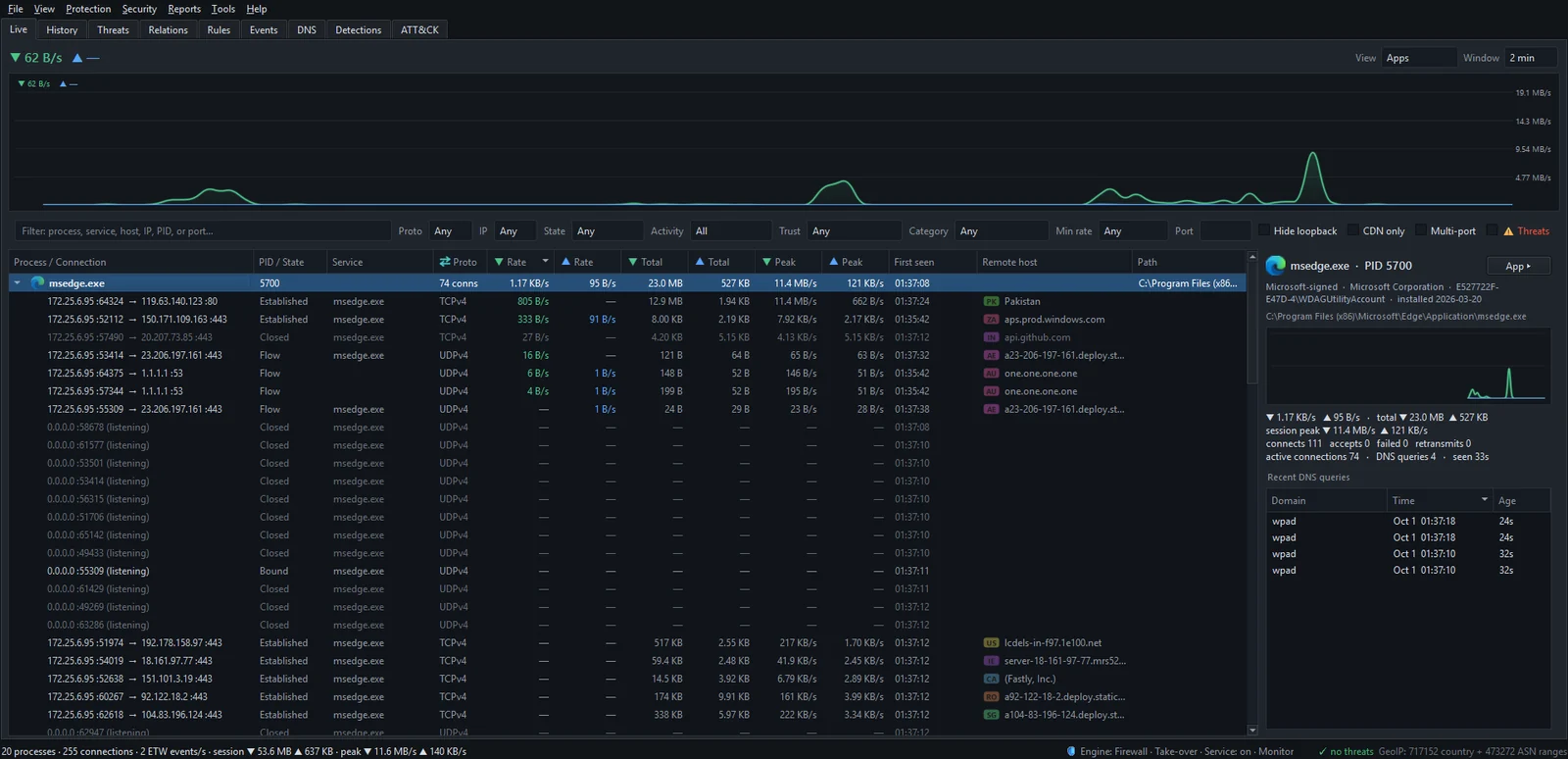
When a connection disappears from Windows' connection table, NetSecWall doesn't remove it at once. It marks it Closed and leaves it dimmed for a few seconds, so short-lived connections don't vanish before you can read them.
To focus on one state, use the State filter above the list. It offers Any, Established, Listening, Time-Wait, Close-Wait and Other. Other gathers everything else, including Syn-Sent, the Fin-Wait states and UDP flows, which makes it the quickest way to find connections stuck on the way in or out. Listening includes UDP sockets marked Bound. Filtering the Live tab covers the other controls.
Select a program and the details pane adds context the states alone don't give you: a line of counters for connects, accepts, failed and retransmits this session. A climbing failed count backs up what a pile of Syn-Sent rows suggests. A high retransmit count means TCP keeps resending lost data, which usually points to a poor Wi-Fi signal or a struggling server rather than anything sinister.
To see what your firewall actually blocked, don't rely on connection states. Use Protection ▸ Blocked connections (firewall log)…, which lists recent blocks from the Windows security log. If the list is empty, the dialog tells you which Windows audit setting to turn on.
The short version
ESTABLISHED is a live call, LISTENING is a phone waiting to ring, and TIME_WAIT is paperwork after a hang-up. Worry about patterns, not states: SYN_SENT that never gets answered, CLOSE_WAIT that never gets cleaned up, and listeners you can't explain. Reading a connection puts states together with ports, CDNs and countries. To watch your own connections change state in real time, download the 7-day trial.
Frequently asked questions
Is TIME_WAIT a problem?
No. It's the normal end of a TCP connection on the side that closed first, and the entries clear themselves after a couple of minutes. Only very busy servers need to think about it.
How do I get rid of CLOSE_WAIT connections?
They belong to a program that hasn't closed its sockets. Restarting that program clears them. If the same program builds them up again, it's a bug worth reporting to its developer.
What does SYN_SENT mean in netstat?
Your PC has asked a remote server to connect and hasn't received an answer yet. A brief SYN_SENT is normal; one that lingers means the server isn't answering or something in between is dropping the request.
What does an ESTABLISHED connection with no traffic mean?
It's open but idle. Apps keep connections open so they can react instantly, for example to receive push notifications or chat messages, so a quiet Established row is common and harmless.
Why does UDP show no state in netstat?
UDP has no connection setup or teardown, so there is no state to report. Tools can only say that a UDP socket is open, which NetSecWall labels Bound, or that traffic is flowing, which it labels Flow.
Keep reading
 How to find which app is using a port on Windows
Run netstat -ano to get the process ID (PID) that owns the port, then look that PID up in Task Manager. PowerShell's Get-NetTCPConnection and Resource Monitor give the same answer.
How to find which app is using a port on Windows
Run netstat -ano to get the process ID (PID) that owns the port, then look that PID up in Task Manager. PowerShell's Get-NetTCPConnection and Resource Monitor give the same answer.
 What is a port? 443, 53, 3389 and friends
A port is a number from 0 to 65535 that tells a computer which program a piece of network traffic is for. Servers wait on well-known ports like 443 or 53; your side uses a random high port.
What is a port? 443, 53, 3389 and friends
A port is a number from 0 to 65535 that tells a computer which program a piece of network traffic is for. Servers wait on well-known ports like 443 or 53; your side uses a random high port.
 How NetSecWall sees every connection without a driver
NetSecWall reads what Windows already records: kernel network events through ETW, DNS answers, and the TCP and UDP tables. It sees which app talks to which address without capturing a single packet.
How NetSecWall sees every connection without a driver
NetSecWall reads what Windows already records: kernel network events through ETW, DNS answers, and the TCP and UDP tables. It sees which app talks to which address without capturing a single packet.
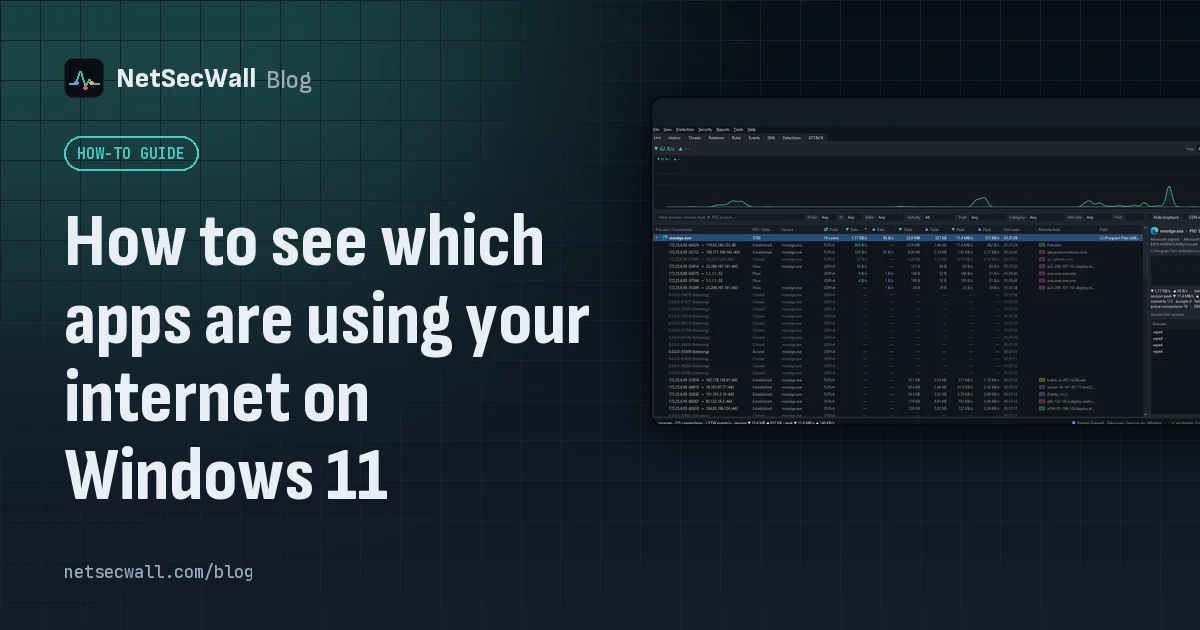 How to see which apps are using your internet on Windows 11
Task Manager's Network column shows which apps are busy right now; Resource Monitor and netstat show where each one connects. For history, countries and alerts you need a per-app monitor.
How to see which apps are using your internet on Windows 11
Task Manager's Network column shows which apps are busy right now; Resource Monitor and netstat show where each one connects. For history, countries and alerts you need a per-app monitor.