Threat-intelligence IP lists: what they catch and what they miss
Threat-intelligence IP lists name addresses already tied to botnets, hacked machines, spam networks or Tor. They catch known infrastructure well but miss new servers and can mislabel shared addresses.
NetSecWall for Windows
On this page
Threat intelligence IP lists are published lists of internet addresses that someone has already seen doing harm: running botnet command servers, attacking other machines, sending spam, or relaying Tor traffic. Checking your connections against them is a fast way to catch contact with known-bad infrastructure. They say nothing about servers nobody has reported yet, and a match on a shared or recycled address can be a false alarm.
How threat intelligence IP lists are built
The people who maintain these lists collect evidence from many places: honeypots that record who attacks them, sinkholes that take over old malware domains and log who still calls in, sandboxes that run malware and note where it connects, abuse reports from server operators, and researchers who track particular botnets.
What comes out is a list of single addresses or whole ranges (written in CIDR form, such as 203.0.113.0/24). Lists differ in what they include, how strict they are about evidence, and how fast entries expire. An address used by a botnet last week may be dropped within days; a network block handed to a spam operation may stay listed for a long time.
The six lists NetSecWall uses
NetSecWall checks every connection against six free, public lists, all enabled by default:
| Feed | What's on it | Shown as | Severity |
|---|---|---|---|
| FireHOL Level 1 | An aggregate of several reputable lists, assembled to be safe to block with very few false positives | Malware (MAL) | High |
| abuse.ch Feodo C2 | Command-and-control servers of botnet malware tracked by abuse.ch's Feodo Tracker | Botnet C2 (C2) | High |
| Emerging Threats Compromised | Addresses of hosts seen behaving like compromised machines | Compromised host (CMP) | Medium |
| Tor Exit Nodes | The Tor Project's list of relays that pass Tor traffic out to the open internet | Tor exit node (TOR) | Low |
| Spamhaus DROP | "Don't Route Or Peer": network blocks hijacked by or leased to spam and cybercrime operations | Spam / hijacked (SPM) | Medium |
| blocklist.de attackers | Addresses recently reported for attacking servers, such as password guessing against SSH, mail or web logins | Known attacker (ATK) | Medium |
NetSecWall downloads the lists from its own servers (falling back to the original source if needed) and matches them on your PC. Nothing about your connections is sent anywhere to be looked up.
What IP lists catch well
- Known botnet servers. A program on your PC talking to a listed C2 server is one of the strongest signals a network monitor can give.
- Criminal networks. Nothing legitimate should live in a Spamhaus DROP range.
- Scanners and password guessers. If you expose remote desktop, SSH or a game server to the internet, listed attackers will find it. These usually show up as incoming connections: a warning about an open door, not an infection.
- Tor exits. Useful context rather than a verdict; see why an app might be talking to a Tor exit node.
What IP lists miss
- New infrastructure. Attackers rent fresh servers and rotate addresses. A list only knows what someone has already reported, so there's always a lag.
- Abuse of big legitimate platforms. Malware can talk to cloud storage, code-hosting sites or chat-service APIs. Listing those addresses would break the internet, so they aren't listed.
- Domains. These are address lists. A phishing page on a shared host, or a domain registered yesterday, isn't on them. That's a different signal, covered in newly registered domains.
- Anything inside the traffic. A list match tells you where a connection went, not what it carried.
Why good lists still raise false alarms
- Shared addresses. One CDN or hosting address can serve thousands of unrelated websites. If one of them misbehaved, the address can get listed and every site behind it looks guilty. Why every app talks to CDNs explains the setup.
- Recycled addresses. Cloud servers and home connections change hands. The attacker's address from last month may be someone's clean server today.
- Legitimate Tor users. Plenty of people use Tor for privacy.
- Incoming noise. A listed scanner knocking on your PC is expected on the internet; what matters is whether something answered.
How NetSecWall shows a match
Every public remote address, IPv4 and IPv6, is checked; private, multicast and broadcast addresses are skipped. A match shows as a badge and red text on the connection in the Live tab, a threat line in the details pane and the IP dashboard, a tray alert the first time a program reaches that address, a count in the status bar, and a row in the Threats tab. The ⚠ Threats checkbox in the Live tab's filter bar shows only flagged connections. Tor matches also add a detection signal to the program's risk score.
NetSecWall flags matches; it doesn't block them automatically. You decide.
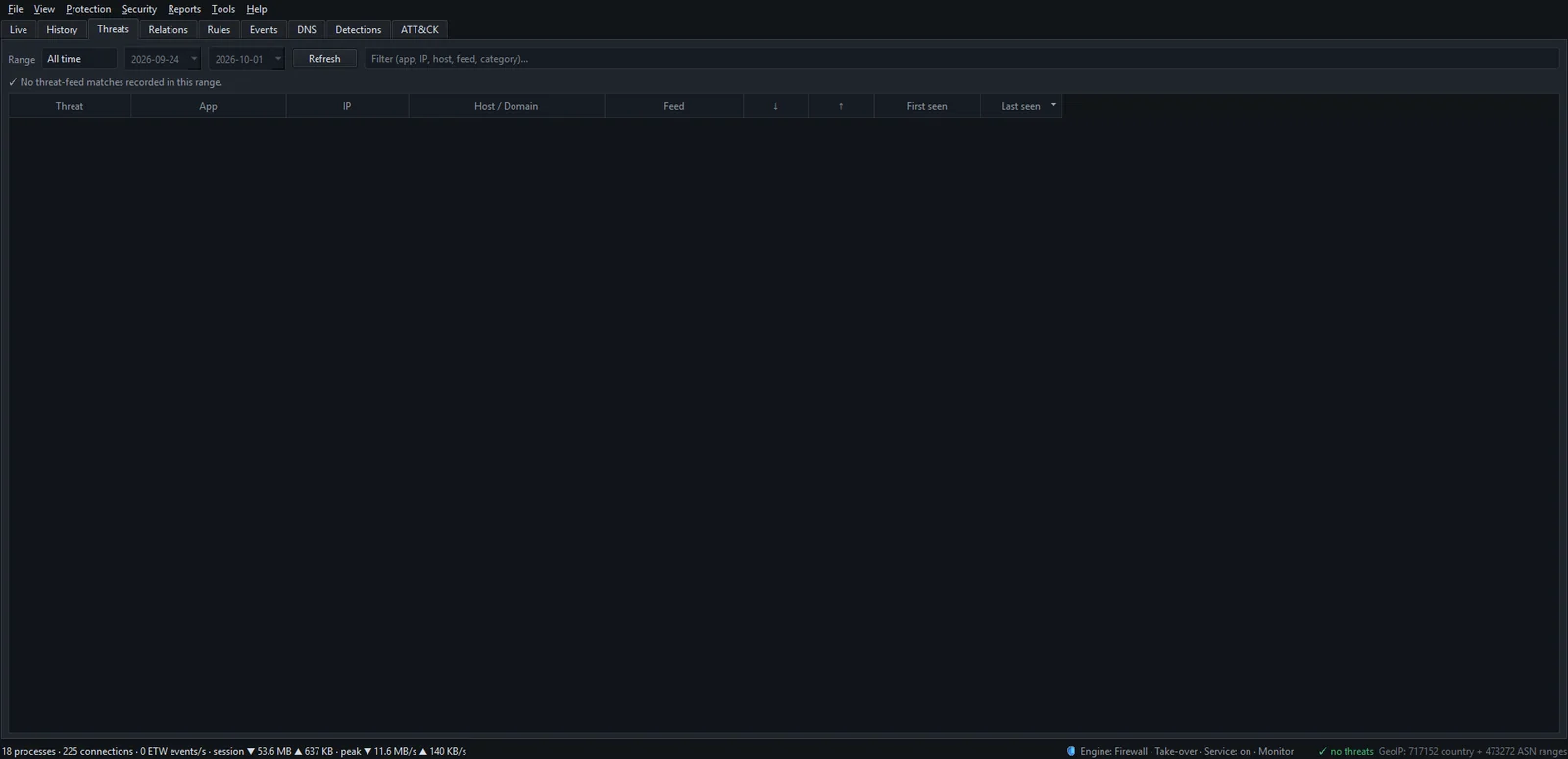
To read a match:
- Open the Threats tab and pick a Range.
- Check the Threat and Feed columns. A Botnet C2 or Malware match on a program you don't recognize is serious; a Tor or Known attacker match on an incoming connection usually isn't.
- Double-click the row to open the IP dashboard: reverse DNS, the network owner and which programs used the address. Details in the IP dashboard.
- Right-click the connection in the Live tab and choose Investigate IP ▸ AbuseIPDB or VirusTotal to see how recent the reports are.
- Act. Block an unknown program with Block this app (firewall); close the exposed port for a listed attacker.
Keeping the lists fresh
A list is only as good as its last update. With Tools ▸ Feeds ▸ Auto-update feeds daily on, which is the default, NetSecWall checks every three hours and refreshes any list more than about 20 hours old. Tools ▸ Feeds ▸ Update threat feeds now forces it. Under Tools ▸ Settings… ▸ Threat feeds you can switch individual lists off and see when each was last updated. NetSecWall's servers may occasionally ask for a one-click "Verify this PC" check in your browser before a download; until then, detection uses the lists already on the PC.
More in the threat feeds NetSecWall uses. Threat intelligence is part of the Plus, Family and Pro plans.
Honest summary
IP lists are cheap, fast and private to check, and they're good at one job: spotting known-bad infrastructure. Pair them with behavior-based signals that can flag a program nobody has reported yet, and with an antivirus, since NetSecWall doesn't scan files. The 7-day trial includes all six lists.
Frequently asked questions
Does NetSecWall send my connections to a cloud service to check them?
No. The lists are downloaded to your PC and every address is matched locally. Only the list downloads themselves contact NetSecWall's servers.
Should I block every IP address on a threat list?
Not by default. Most listed addresses will never contact your PC, and some matches are shared or recycled addresses. Block the program that's making the bad connection, or close the port an attacker is knocking on.
How often are IP blocklists updated?
It varies by list, from several times a day to much less often. NetSecWall refreshes its copies roughly daily and lets you update on demand.
Why did a well-known website show up as a threat?
Usually because it shares a CDN or hosting address with something that was reported. Check the network owner on the IP dashboard; a big CDN is a strong hint of a shared-address false alarm.
Are free threat feeds good enough for a home PC?
They cover the most common known-bad infrastructure. They won't catch everything, which is why they should be one layer alongside behavior-based detection and antivirus.
Keep reading
 Why is an app on my PC talking to a Tor exit node?
Usually because something on your PC accepts connections arriving through Tor, a peer-to-peer app met a Tor user, or a program uses Tor itself. Malware does too, so check the app and direction.
Why is an app on my PC talking to a Tor exit node?
Usually because something on your PC accepts connections arriving through Tor, a peer-to-peer app met a Tor user, or a program uses Tor itself. Malware does too, so check the app and direction.
 Newly registered domains: a quiet warning sign
Phishing and malware campaigns tend to use domains registered days earlier, before blocklists catch up. A very young domain proves nothing alone, but it adds weight when an app already looks wrong.
Newly registered domains: a quiet warning sign
Phishing and malware campaigns tend to use domains registered days earlier, before blocklists catch up. A very young domain proves nothing alone, but it adds weight when an app already looks wrong.
 Network visibility for a small office without an IT department
Watch three things on each PC: programs you don't recognize going online, unusually large uploads, and threat-list hits. Then add phone alerts and a 15-minute weekly review. No IT staff needed.
Network visibility for a small office without an IT department
Watch three things on each PC: programs you don't recognize going online, unusually large uploads, and threat-list hits. Then add phone alerts and a 15-minute weekly review. No IT staff needed.
 How to spot malware by its network traffic
Almost all malware has to talk to someone. Look for unknown or unsigned programs online, odd ports, check-ins on a timer, lopsided uploads, threat-listed addresses and Windows tools going online.
How to spot malware by its network traffic
Almost all malware has to talk to someone. Look for unknown or unsigned programs online, odd ports, check-ins on a timer, lopsided uploads, threat-listed addresses and Windows tools going online.