The threat-intelligence feeds NetSecWall uses, and keeping them updated
NetSecWall checks every public address your apps reach against six free threat-intelligence IP lists, on your PC. They refresh daily, or on demand from Tools ▸ Feeds.
NetSecWall for WindowsOn this page
NetSecWall compares every public address your apps connect to against six free, public threat intelligence feeds: lists of IP addresses known for malware, botnet control servers, attacks and similar trouble. The lists are downloaded to your PC and matched there, so nothing about your connections is sent anywhere to be looked up. They refresh on their own about once a day, and Tools ▸ Feeds ▸ Update threat feeds now refreshes them immediately.
Threat intelligence is part of the Plus, Family and Pro plans, and of the 7-day trial.
The six threat intelligence feeds
All six are on by default. Each match is labeled with a category, a short badge and a severity.
| Feed | What it lists | Shown as | Severity |
|---|---|---|---|
| FireHOL Level 1 | A combined list built by the FireHOL project from several well-known blocklists, aimed at addresses that are safe to block with few false positives | Malware (MAL) | High |
| abuse.ch Feodo C2 | Botnet command-and-control servers tracked by abuse.ch's Feodo Tracker | Botnet C2 (C2) | High |
| Emerging Threats Compromised | Hosts known to be compromised, published by Emerging Threats | Compromised host (CMP) | Medium |
| Tor Exit Nodes | The Tor Project's list of current exit relays, the last hop of Tor traffic | Tor exit node (TOR) | Low |
| Spamhaus DROP | Address blocks Spamhaus considers hijacked or run by spam and cybercrime operations ("Don't Route Or Peer") | Spam / hijacked (SPM) | Medium |
| blocklist.de attackers | Addresses reported for attacks, such as brute-force logins, by servers that feed blocklist.de | Known attacker (ATK) | Medium |
Every public IPv4 and IPv6 address is checked. Private, multicast and broadcast addresses are skipped. Matching is by IP address only: these are address lists, not domain lists. If an address is on more than one list, the highest-severity match is the one you see.
Tor is marked low severity on purpose. Tor has plenty of legitimate uses. What matters is whether you expect that program to use it. See why an app might talk to a Tor exit node.
Where threat matches show up
A match appears in several places at once:
- Live tab: the connection row gets the feed badge and red text, and the details pane shows a "⚠ THREAT" line.
- ⚠ Threats filter: tick it in the Live tab's filter bar to show only connections to flagged addresses. See filtering the Live tab.
- Status bar: a counter reads "⚠ N threat connections", or "✓ no threats" when there are none.
- Threats tab: a log of every match, with the app, IP, host, feed, traffic and first and last seen. Pick a range from Today to All time, or type in the filter box.
- IP dashboard: a line such as "⚠ THREAT — Botnet C2 · source: abuse.ch Feodo C2". Double-click a row on the Threats tab to open it.
- Alerts: a tray notification the first time a program reaches a flagged address, and an entry on the Events tab.
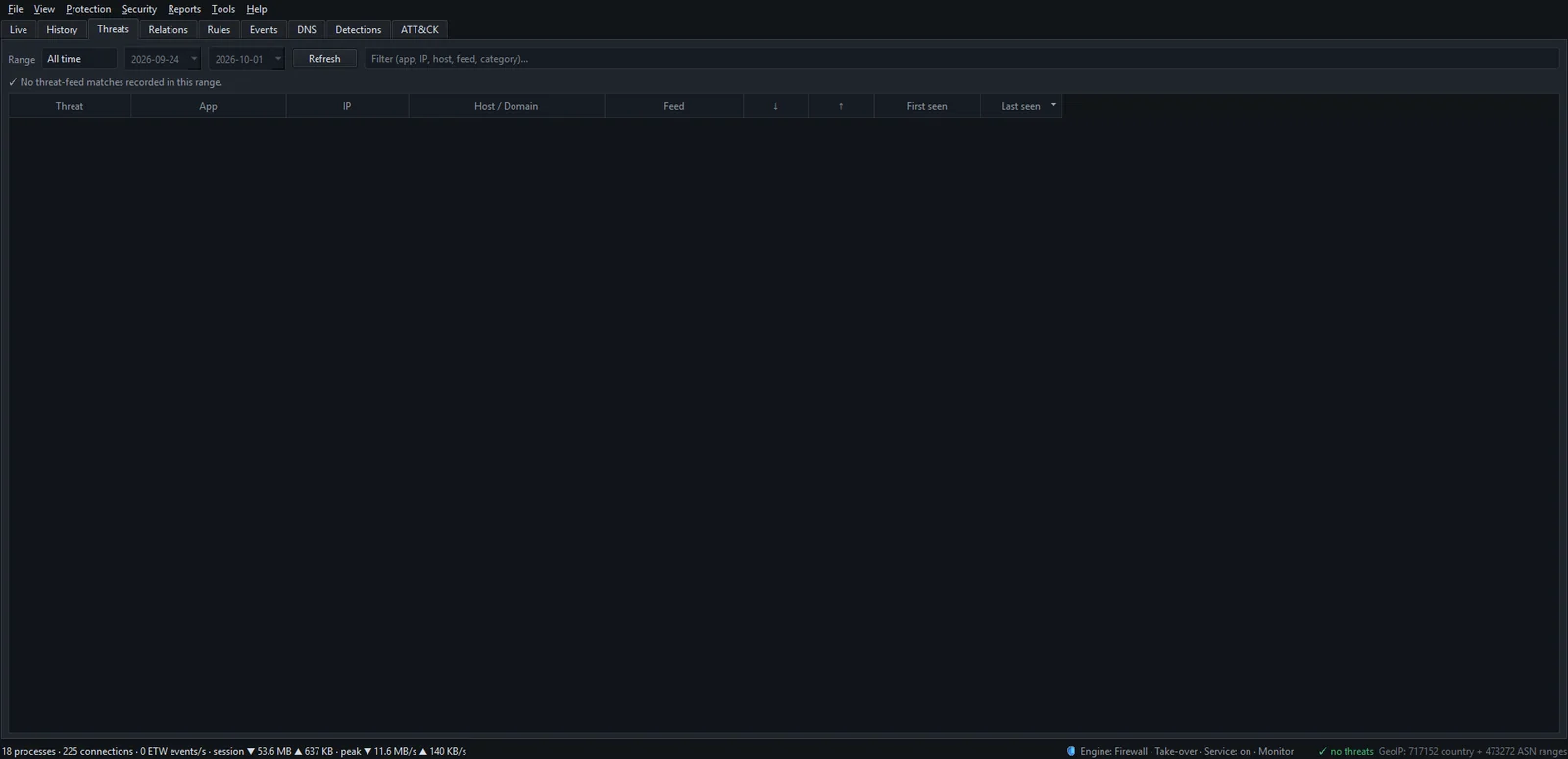
A match does not block anything by itself. If the program shouldn't be talking to that address, block the app.
Update the threat feeds now
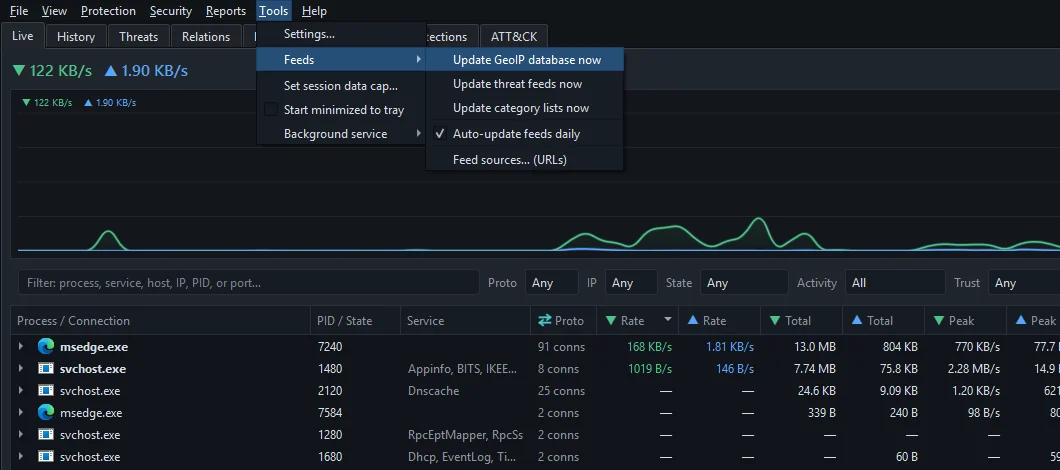
NetSecWall checks every 3 hours and refreshes any list older than about 20 hours, as long as Tools ▸ Feeds ▸ Auto-update feeds daily is ticked (it is by default). The same setting covers the GeoIP and website-category lists. To refresh right away:
- Open the Tools menu.
- Choose Feeds ▸ Update threat feeds now.
- Watch the status line for the download to finish. The lists reload on their own.
Since version 1.2.0 the lists come from NetSecWall's own servers on every plan, as one deduplicated download. If our copy of a list is missing, NetSecWall fetches it from the original public source instead.
Turn a feed off or change its source
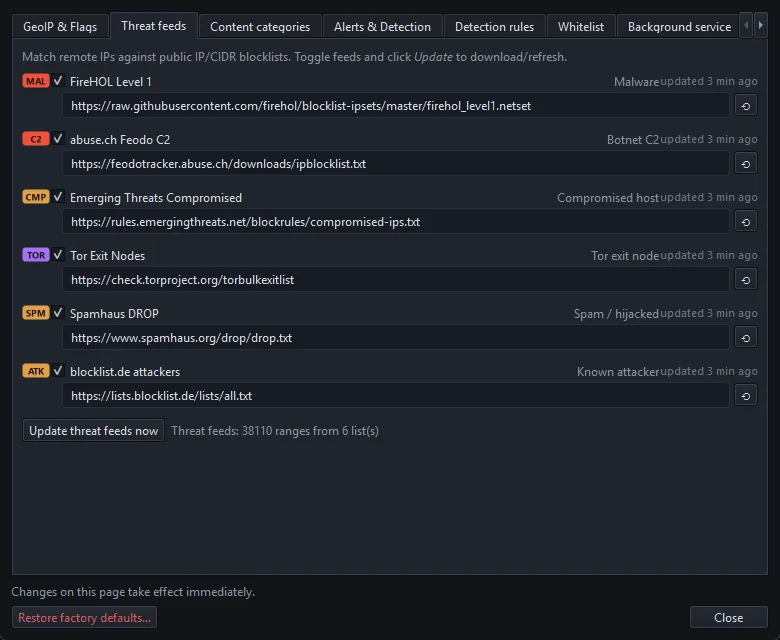
- Open Tools ▸ Settings… (enter the settings password if you set one).
- Go to the Threat feeds tab.
- Untick a feed to stop matching against it. The change applies immediately.
- To use a different address for a list, edit the source URL under it. The ⟲ button restores the default.
- Click Update threat feeds now at the bottom to download with the new settings.
Each row also shows when that list was last updated ("updated 3 h ago").
The "Verify this PC" check
Occasionally NetSecWall's servers ask for a one-time human check before handing over threat feeds. You'll see Verify this PC: "One quick check before threat feeds download." Click Verify in browser…, finish the one-click check, and it lasts for weeks. If you choose Later, detection keeps running on the lists already on your PC. After verifying, the next scheduled update picks the feeds up, or you can run Update threat feeds now. If updates keep failing, see feeds that aren't updating.
What threat feeds can't tell you
- Lists go stale. Addresses change hands. A server that hosted malware last month may be innocent today, and a new one won't be listed yet. A PC that has been offline is checking against whatever it last downloaded.
- Shared addresses cause false positives. One bad site on shared hosting or a CDN can put an address on a list that thousands of harmless sites also use.
- A match is not a verdict. Look at which program connected and whether that makes sense. The IP dashboard and Investigate IP help.
- Brand-new infrastructure slips through. That is what behavioral detection is for.
NetSecWall is not an antivirus. It watches the network. It does not scan files or remove malware. Run it alongside Microsoft Defender or another antivirus.
Frequently asked questions
Does NetSecWall send my connections to a server to check them?
No. The lists are downloaded to your PC and every address is matched locally. Downloading the lists is the only network traffic involved.
How often are the threat feeds updated?
With Auto-update feeds daily on, NetSecWall checks every 3 hours and refreshes lists older than about 20 hours. You can also update them at any time from Tools ▸ Feeds ▸ Update threat feeds now.
Why is an ordinary website flagged as a threat?
Usually because it shares an address with something bad, on shared hosting or a CDN, or because the listing is out of date. Check which program made the connection and what else lives at that address before acting.
Does a threat-feed match block the connection?
No. It raises an alert and marks the connection. Blocking is a separate step you take, for example with Block this app in the Live tab.