Performance and side effects of running NetSecWall
Monitoring is light because NetSecWall reads Windows' own network events instead of sitting in your traffic. Side effects come from blocks you make, and they're quick to trace.
NetSecWall for WindowsOn this page
NetSecWall's performance impact is small: it reads Windows' own network events rather than sitting between your PC and the network, so it adds no latency and can't slow a transfer down. What can change how your PC behaves is blocking, and every side effect traces back to a rule. Here's what it costs, what it can break, and how to tell NetSecWall apart from a real network fault.
What monitoring costs
Your packets never pass through NetSecWall. It reads kernel events and connection tables, and uses a modest amount of CPU to process them, memory to hold the live view, and disk for the history database.
- CPU scales with connection churn, not bandwidth. A PC opening thousands of short connections costs more than one holding a single fast download.
- The open window does extra work: the live views refresh once a second while you watch, and skip that work while the window is hidden in the tray.
- Disk grows with history. It's metadata, not contents, so it grows slowly, and once a month NetSecWall offers to prune anything older than 30 days (see history and reports).
- Blocking adds almost nothing. Enforcement happens inside Windows' own firewall and filtering platform.
What blocking can break
| Symptom | Likely cause |
|---|---|
| An app hangs at startup | It's blocked and waiting on a timeout it will never get |
| Windows Update stopped working | svchost.exe was blocked; dozens of Windows services share it |
| A site loads without images or styling | A country or category block caught a CDN address the site uses |
| Remote Desktop dropped and won't reconnect | Block all was switched on, including your own way in |
| An app you blocked gets through after an update | It moved to a new folder, and app rules are keyed to the path |
| No internet at all | Block all outbound, a parental bedtime or daily limit, or a block-all left over from a crash |
Switching to Monitor only does not rule NetSecWall out. It turns off Learning pop-ups and Block all, but app, category, country and custom blocks keep applying.
Ruling NetSecWall out
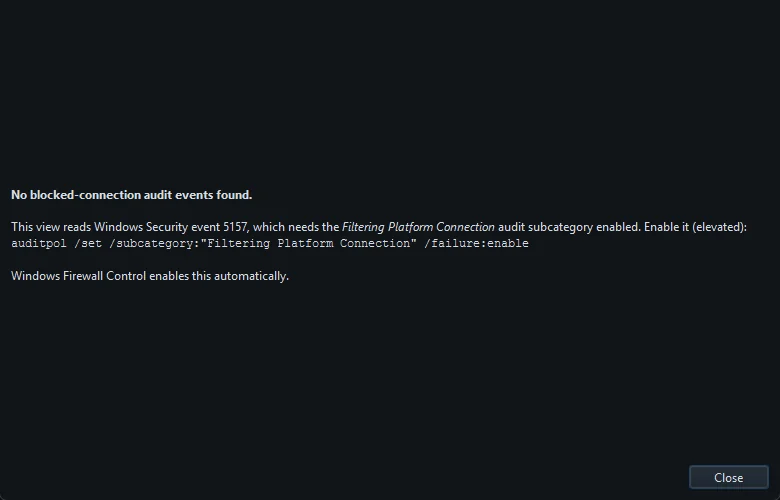
- Open Protection ▸ Blocked connections (firewall log)…. If it lists the failing program or address, a firewall block is the cause. The log needs a Windows audit setting; the dialog explains how to turn it on if it's empty.
- In the Rules tab, set Show to NetSecWall rules, delete or disable the matching block, and retest.
- For a definitive test, stop the background service with Tools ▸ Background service ▸ Stop (if installed) and quit NetSecWall from the tray. Its rules and filters are removed while it's stopped. If the problem remains, you're looking at a network fault, a DNS problem or a service outage, or a custom rule you made with New rule…, which stays in Windows Firewall.
- Start NetSecWall again afterwards. Your blocks come back.
No internet after blocking something? covers the common cases step by step.
Living alongside other security software
Two programs managing Windows Firewall at once tend to overwrite each other's rules, and the usual symptom is a block that quietly stops applying. NetSecWall spots this and shows an amber banner with two choices. Take over means NetSecWall manages the rules; set the other tool to stop filtering. Companion mode means NetSecWall keeps monitoring and alerting but leaves Windows Firewall rules to the other tool; in that mode it only blocks on its own with the Packet filter (WFP) engine. See the firewall conflict banner.
Antivirus is a different matter. It scans files and NetSecWall watches the network, so the two don't overlap. Run both.
VPNs, proxies and virtual machines
With a VPN on, connections are still attributed to the right program, but the destination you see may be the VPN server rather than the real one, and its country follows the tunnel. Country information and country blocks become much less meaningful. Virtual adapters from WSL, Docker and virtual machines carry real traffic from real processes, so they show up too. That's correct, not a bug.
Battery and laptops
Monitoring is light but not free, and with the background service the PC does a little work whenever it's awake. Running without the service means less background work, but NetSecWall then only monitors and enforces while the app is running. You can remove the service with Tools ▸ Background service ▸ Uninstall…, and add it back later; see the background service and the tray.
Frequently asked questions
Will NetSecWall slow down my internet?
No. Monitoring reads events alongside your traffic instead of routing it through NetSecWall, so it adds no latency. Only a block changes what gets through.
Does NetSecWall use a lot of disk space?
History is metadata only, so it grows slowly. When NetSecWall offers to prune data older than 30 days it tells you how much it holds, and you can export anything you want to keep first.
Can I run NetSecWall with another firewall app?
Yes, but only one program should manage Windows Firewall rules. Use Companion mode to leave the rules to the other tool, and choose the Packet filter (WFP) engine if you still want NetSecWall to block.
Does NetSecWall work with a VPN?
Yes. Traffic is still attributed to the right programs, but the remote side may show the VPN server, so countries and country blocks are less useful while it's on.