See what was blocked in the Windows firewall log
Open Protection ▸ Blocked connections (firewall log)… to see up to 300 recent blocked connections. Windows only records them after you turn on one audit setting with auditpol.
NetSecWall for WindowsOn this page
To see blocked connections on Windows, open Protection ▸ Blocked connections (firewall log)… in NetSecWall. It lists up to 300 recent blocks, newest first, with the program, direction, protocol and addresses involved. It reads them from the Windows Security log (event 5157), which Windows only writes once you turn on one audit setting — a single command, run once as administrator.
Turn on the Windows audit setting (once)
- Click Start, type
Terminal(orcmd), right-click the result and choose Run as administrator. - Run this command:
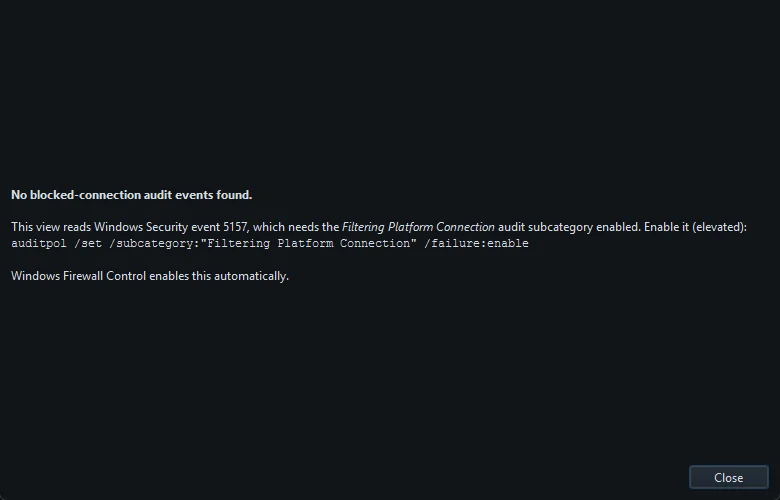
auditpol /set /subcategory:"Filtering Platform Connection" /failure:enable
- To check it took, run
auditpol /get /subcategory:"Filtering Platform Connection"; the setting should include Failure.
From then on Windows records every blocked connection. Blocks that happened before you ran the command were never recorded, so the log starts empty.
NetSecWall doesn't change this Windows setting for you. If the log window is empty, it shows the same command as a reminder.
See blocked connections on Windows in the log window
- Open the Protection menu (Alt+P).
- Choose Blocked connections (firewall log)….
The Blocked connections — Windows Filtering Platform window opens with "N recent blocked connections (newest first)".
| Column | What it shows |
|---|---|
| Time | When Windows blocked it |
| Dir | Outbound (this PC reaching out) or Inbound (something reaching in) |
| Proto | The protocol, usually TCP or UDP |
| Program | The program's file name; hover for the full path |
| Remote | The other end, as address:port |
| Local | This PC's address:port |
The window shows the log as it was when you opened it. Close it and choose the menu item again to see newer entries.
What the log includes
The log comes from Windows, not from NetSecWall, so it shows every connection the Windows Filtering Platform refused:
- blocks from NetSecWall's rules and packet filter — apps, categories, countries and Block all;
- blocks from Windows Firewall's own rules and from its default policy, including unsolicited inbound attempts from the network, which are normal;
- blocks from any other security tool that uses the same platform.
It doesn't say which rule caused a block. Match the program and address against the Rules tab to find it. Typical uses: confirming that a new block works, and finding out which program keeps being refused when something breaks after you blocked an app.
Why the Live tab doesn't show blocked connections
The Live tab shows connections that exist. A blocked attempt never becomes a connection, so there is nothing to mark, and the Live tab doesn't flag anything as blocked — a blocked app simply shows no new connections. This log is the place to see what was refused. If something stopped working after a block, no internet after blocking something? goes through the likely rules one by one.
Turn the audit setting off again
On a busy PC these events add up in the Windows Security log. If you only needed the log for a while, turn recording off in an administrator terminal:
auditpol /set /subcategory:"Filtering Platform Connection" /failure:disable
For older entries than the 300 NetSecWall shows, open Event Viewer ▸ Windows Logs ▸ Security and filter on event ID 5157. What is the Windows Filtering Platform? explains where these events come from.
Frequently asked questions
Why is the blocked connections window empty?
Either the audit setting isn't on, or nothing has been blocked since you turned it on. Run the auditpol command above in an administrator terminal, then trigger a block and open the window again.
Does NetSecWall turn on the audit setting for me?
No. It only reads the log. You turn the setting on once with auditpol, and it stays on until you disable it.
Why do I see inbound blocks I never created?
Windows Firewall turns away unsolicited incoming connections by default, and those refusals are logged too. They are routine and usually not a sign of a problem.
Does the Live tab show which connections were blocked?
No. Blocked attempts never become connections, so they don't appear there. Use Protection ▸ Blocked connections (firewall log)… instead.