System requirements for NetSecWall on Windows
NetSecWall needs 64-bit Windows 10 (version 1809 or later) or Windows 11, an account with administrator rights, and an internet connection once to start the trial. It installs no driver.
NetSecWall for WindowsOn this page
NetSecWall runs on 64-bit Windows 10 (version 1809 or later) and on Windows 11. You need administrator rights to install it and to run it, and the PC has to reach the internet once so the 7-day trial can start. There is no kernel driver and no extra hardware: NetSecWall uses parts of Windows that are already on your PC.
NetSecWall system requirements at a glance
| Requirement | What NetSecWall needs |
|---|---|
| Operating system | Windows 10, version 1809 (build 17763) or later, or Windows 11 |
| Processor architecture | 64-bit (x64) only |
| Windows account | Administrator rights, to install and each time the app starts |
| Internet | Once, to start the trial or activate a license; it works offline after that |
| Disk space | The installer is 12.5 MB; the local history database grows as you use the app |
| Drivers | None |
There is no published minimum for processor speed or memory. Monitoring is light because NetSecWall reads the network events Windows already produces instead of sitting in the path of your traffic.
Why it needs administrator rights
Windows only shows per-program network activity, and only allows changes to firewall rules, to a program running as administrator. So Windows asks for permission when you install NetSecWall and again each time you start it. Click Yes at that prompt.
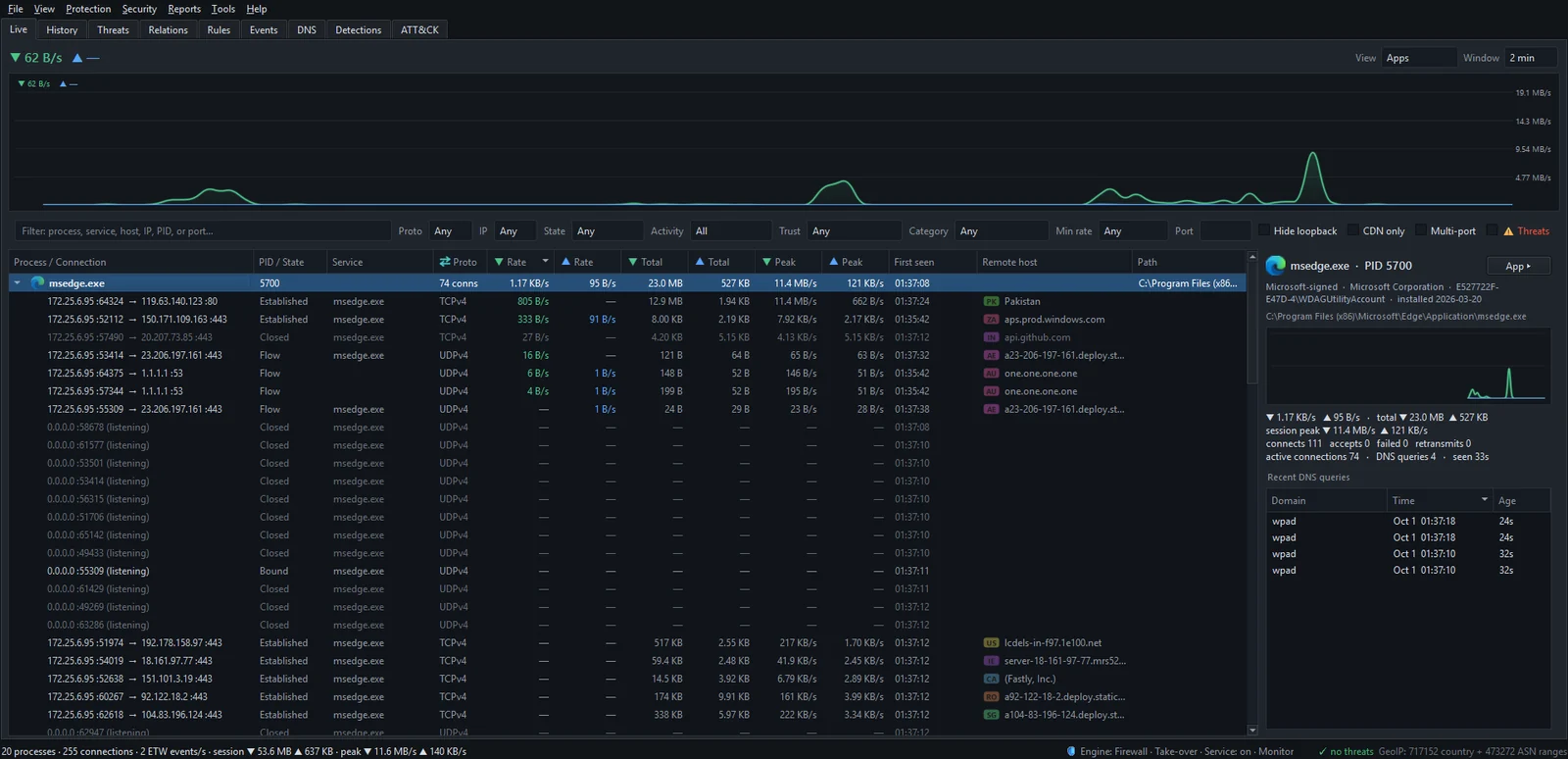
If you run it without elevation, the kernel network events that feed the live rates are not available, and the rate columns stay empty. If your Windows account is a standard user, someone with an administrator account has to approve the prompt. See the Live tab is empty or shows no transfer rates if that happens.
Why it needs the internet, and how often
The trial clock is kept on NetSecWall's license server, not on your PC. The 7 days start the first time the app reaches netsecwall.com, and activating a license key works the same way. After that, NetSecWall keeps working offline on the entitlement it saved, and checks again at launch and every 24 hours when it can.
The internet is also where the reference data comes from: threat-intelligence lists, website category lists and the GeoIP tables behind the country column. They download from NetSecWall's servers and refresh about once a day, so an offline PC keeps using whatever it last downloaded. How the 7-day free trial works has the details on the trial.
What NetSecWall uses inside Windows
NetSecWall installs no driver. It builds on components every Windows 10 and 11 PC already has:
- Event Tracing for Windows (ETW) for per-program byte counts and for the host names programs look up.
- Windows' own connection tables, read once a second, for each connection and its state.
- Windows Defender Firewall for the default blocking engine, which writes ordinary firewall rules. Keep Windows Firewall switched on. If it is off, NetSecWall shows a red banner with an Enable Windows Firewall button.
- The Windows Filtering Platform (WFP) for the optional Packet filter (WFP) engine, which adds its own user-mode filters.
It reads metadata only: which program, which address and port, how many bytes, and when. It does not capture packets, decrypt HTTPS or look inside your traffic. The blog post on how NetSecWall sees every connection without a driver explains the mechanics.
What is not supported
- 32-bit Windows. There is only a 64-bit build.
- Windows on ARM. There is no ARM64 build.
- Windows 7, 8 and 8.1.
- Windows Server. It is not officially supported.
- macOS, Linux, ChromeOS, iPhone and iPad. NetSecWall's desktop app is Windows only.
- Android has its own free app, NetSecWall for Android, which is in beta and not on Google Play yet. See the Android page.
Other software on the same PC
- Antivirus. NetSecWall is not an antivirus. It watches the network; it does not scan or remove files. Keep Microsoft Defender or your usual antivirus running alongside it.
- Another firewall manager. Two programs managing Windows Firewall at once can undo each other's rules. NetSecWall detects the common ones and offers a Companion mode. Read using NetSecWall alongside another firewall manager before you install.
- VPNs. NetSecWall works with a VPN running, but many destinations then show the VPN server, and country rules become much less meaningful.
When the PC meets the requirements, the next step is to install NetSecWall.
Frequently asked questions
Can I run NetSecWall without administrator rights?
No. Windows only exposes per-program network activity and firewall changes to an elevated program, so NetSecWall asks for administrator rights every time it starts. Without them you lose the live rates and cannot block anything.
Does NetSecWall need to stay connected to the internet?
No. It needs one connection to start the trial or activate a license, then it keeps working offline. Threat lists, category lists and GeoIP data only refresh while the PC is online.
Will NetSecWall slow down my PC?
It shouldn't. NetSecWall watches quietly in the background instead of sitting in the middle of your traffic, so monitoring stays light. Blocking does work only when you block something.
Does NetSecWall work on Windows on ARM laptops?
No. There is no ARM64 build, and only 64-bit x64 Windows 10 and 11 are supported.